
Acceptance Testing: Complete Implementation Guide for Quality Assurance Teams
 Acceptance Testing Complete Implementation Guide
Acceptance testing validates whether your software actually solves the business problem it was built for. This final phase of the Software Development Life Cycle determines if your application is ready for deployment by confirming it meets user needs, business requirements, and regulatory standards.
Unlike system testing which focuses on technical functionality, acceptance testing emphasizes real-world usability and business value. It answers the critical question: Does this software deliver what stakeholders expected?
Professional QA teams rely on acceptance testing to catch gaps and defects before they reach production. This validation step protects organizations from costly post-release failures and ensures smooth transitions from development to deployment.
💡
Acceptance testing operates as the final checkpoint between development and production deployment. It confirms the software functions correctly and aligns with actual user needs and business objectives.
This comprehensive guide explores acceptance testing methodologies, implementation strategies, and proven practices for QA professionals. You'll learn practical approaches to User Acceptance Testing (UAT), Operational Acceptance Testing (OAT), Contract Acceptance Testing (CAT), and other specialized forms. We'll cover test planning, execution frameworks, automation strategies, and how to address common implementation challenges that testing teams face.
Quick Answer: Acceptance Testing at a Glance
| Aspect | Details |
|---|---|
| What | Final validation that software meets user needs, business requirements, and deployment readiness criteria |
| When | After system testing, before production deployment |
| Key Deliverables | Acceptance criteria, UAT test cases, sign-off documentation, defect reports |
| Who | End users, product owners, business analysts, QA teams |
| Best For | Confirming business value delivery, validating real-world usability, ensuring stakeholder satisfaction |
Table Of Contents-
- Understanding Acceptance Testing Fundamentals
- Types of Acceptance Testing
- Creating Effective Acceptance Criteria
- Planning Your Acceptance Testing Strategy
- The Acceptance Testing Process
- Acceptance Testing in Agile Development
- Automation in Acceptance Testing
- Best Practices for Successful Acceptance Testing
- Common Challenges and Practical Solutions
- Measuring Acceptance Testing Success
- Conclusion
- Quiz
- Frequently Asked Questions
- Continue Reading
Understanding Acceptance Testing Fundamentals
Definition and Core Purpose
Acceptance testing is the formal process of validating whether a software system satisfies predefined acceptance criteria and is acceptable for delivery to end users. According to the International Software Testing Qualifications Board (ISTQB), acceptance testing determines whether a system satisfies user needs, requirements, and business processes.
This testing phase serves several critical purposes:
Validation of Business Requirements: Confirms the software delivers the intended business value and solves the problems it was designed to address.
User Satisfaction Verification: Ensures the application meets end-user expectations for functionality, usability, and overall experience.
Deployment Readiness: Validates the software is stable, complete, and ready for production deployment without critical issues.
Risk Mitigation: Identifies gaps, defects, and misalignments before they impact real users, reducing post-deployment failures.
Stakeholder Confidence: Provides assurance to business stakeholders, product owners, and executives that their investment delivers expected outcomes.
Position in the Software Testing Lifecycle
Acceptance testing occurs after system integration testing and before production deployment. This positioning is strategic.
Earlier testing phases like unit testing validate individual components. Integration testing confirms components work together correctly. System testing evaluates the complete application against technical specifications.
Acceptance testing builds on these phases by evaluating from the user and business perspective. It assumes technical functionality is sound and focuses on whether the software is actually usable and valuable in real-world scenarios.
While earlier testing phases answer "Does it work correctly?", acceptance testing answers "Does it work for our users and business needs?"
The testing lifecycle typically follows this sequence:
- Unit Testing - Component-level validation
- Integration Testing - Component interaction verification
- System Testing - Complete system functionality
- Acceptance Testing - Business and user validation
- Production Deployment - Release to end users
- Production Monitoring - Ongoing validation
Key Stakeholders and Responsibilities
Acceptance testing involves multiple stakeholders with distinct roles:
End Users or User Representatives: These individuals perform the actual testing, particularly for UAT. They bring real-world usage patterns and expectations. Their feedback determines whether the software meets actual needs.
Product Owners or Business Analysts: Define acceptance criteria based on business requirements. They ensure tests validate intended business outcomes and approve final results before deployment.
QA Testing Team: Facilitate the acceptance testing process, create test plans and test cases, coordinate execution, track defects, and provide technical support to user testers.
Development Team: Address defects identified during acceptance testing, provide clarification on functionality, and support the testing environment setup.
Project Managers: Coordinate resources, manage timelines, track progress, and ensure testing stays on schedule while meeting quality standards.
Operations Team: Support operational acceptance testing by validating deployment procedures, backup and recovery processes, monitoring capabilities, and production readiness.
Types of Acceptance Testing
 Types of Acceptance Testing
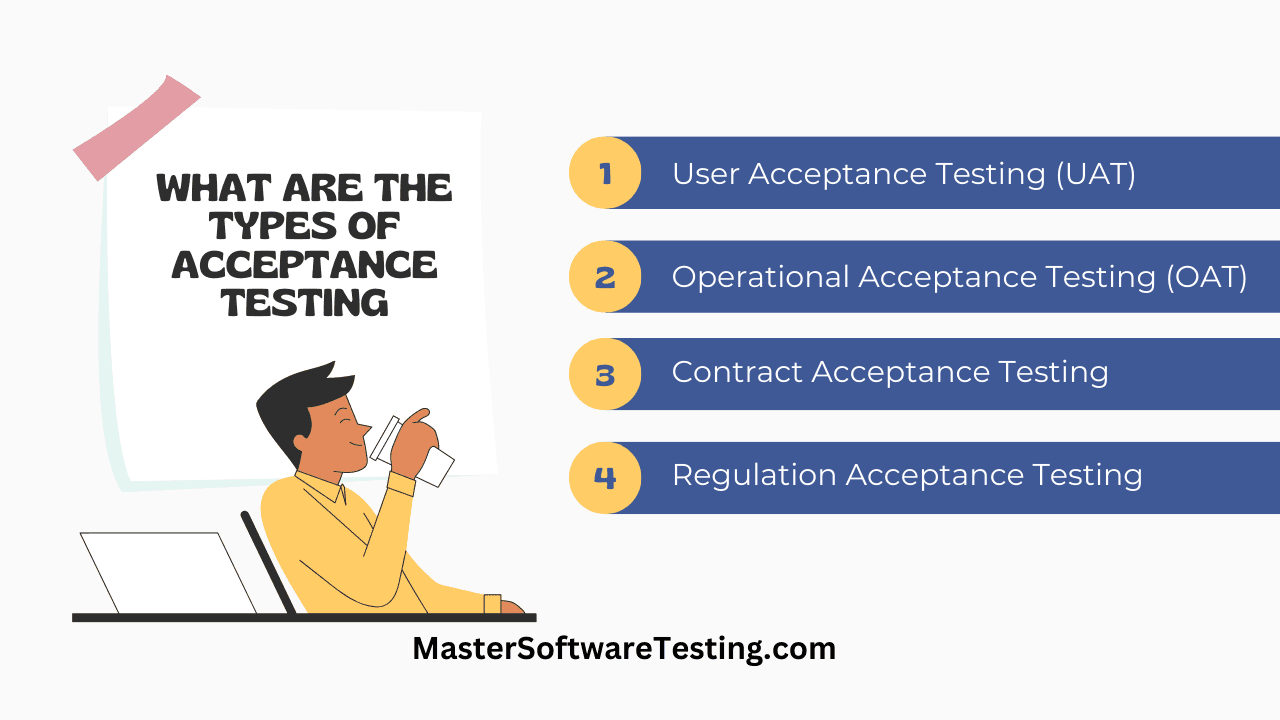
User Acceptance Testing (UAT)
User Acceptance Testing involves actual end users or their representatives validating the software meets their needs and expectations. UAT simulates real-world scenarios to confirm the application effectively supports user workflows.
Purpose and Scope: UAT focuses on business processes, user workflows, and real-world usability. Testers validate the software supports how they actually work, not just whether features function technically.
When to Conduct UAT: UAT typically occurs after system testing completion but before production deployment. In Agile environments, UAT happens continuously throughout sprints as features become available.
UAT Participants: Actual end users or representatives who understand business processes and daily workflows participate in UAT. These should not be developers or QA engineers, but rather the people who will use the software regularly.
UAT Benefits:
- Validates software against real user expectations
- Identifies usability issues technical testing misses
- Builds user confidence before deployment
- Reduces post-deployment support requests
- Confirms business value delivery
UAT Challenges:
- User availability and time constraints
- Varying levels of technical knowledge among users
- Balancing thorough testing with project timelines
- Managing user expectations and feedback
- Coordinating distributed user groups
For organizations implementing user acceptance testing, establishing clear objectives and selecting representative users are critical success factors.
Key Insight: The best UAT testers are actual end users who will use the software daily. They bring real-world context that QA engineers and developers often miss.
Operational Acceptance Testing (OAT)
Operational Acceptance Testing validates the software is ready for deployment in the production environment. OAT examines processes, procedures, and workflows required to keep the system running effectively.
OAT Focus Areas:
Backup and Recovery: Validates backup procedures work correctly and data can be restored successfully after failures.
Disaster Recovery: Tests failover mechanisms, redundancy systems, and recovery procedures in case of catastrophic failures.
Maintainability: Confirms the system can be maintained, updated, and patched without disrupting operations.
Security and Compliance: Verifies security controls, access management, and regulatory compliance measures function properly.
Performance and Scalability: Validates the system performs adequately under expected loads and can scale to handle growth.
Monitoring and Alerting: Ensures monitoring tools provide adequate visibility into system health and alert appropriately when issues occur.
💡
Operations teams perform OAT to confirm they can effectively support the application after deployment. This includes validating procedures for common operational tasks.
OAT Deliverables:
- Operational procedures documentation
- Backup and recovery test results
- Security assessment reports
- Performance baselines and capacity plans
- Runbook for common operational tasks
- Training materials for operations staff
Contract Acceptance Testing (CAT)
Contract Acceptance Testing validates the software meets specifications outlined in contractual agreements or Service Level Agreements (SLAs). CAT is particularly important in outsourced development or vendor relationships.
Key Elements:
Specification Compliance: Confirms all features, functions, and capabilities specified in the contract are delivered and functional.
Performance Criteria: Validates the system meets performance requirements like response times, throughput, and availability specified in SLAs.
Quality Standards: Ensures the software adheres to quality criteria, coding standards, and best practices defined in contractual documents.
Deliverable Verification: Confirms all contractual deliverables like documentation, training materials, and source code are provided and complete.
Payment Milestones: Often tied to payment schedules, with acceptance triggering payment releases for completed work.
CAT Success Factors:
- Clear, measurable acceptance criteria in contracts
- Objective test procedures for validation
- Documentation of all test results
- Formal sign-off processes
- Remediation procedures for failures
Regulation Acceptance Testing (RAT)
Regulation Acceptance Testing ensures software complies with legal, regulatory, and industry standards applicable in target markets. RAT is essential for highly regulated industries.
Regulated Industries:
- Healthcare (HIPAA, FDA regulations)
- Finance (SOX, PCI-DSS, banking regulations)
- Aviation (FAA standards)
- Automotive (ISO 26262)
- Pharmaceuticals (FDA validation)
- Government systems (FedRAMP, FISMA)
RAT Validation Areas:
Data Privacy: Confirms compliance with regulations like GDPR, CCPA, and other privacy laws governing personal data handling.
Security Standards: Validates adherence to security frameworks like ISO 27001, NIST, or industry-specific security requirements.
Accessibility: Ensures compliance with accessibility standards like WCAG, Section 508, or ADA requirements for users with disabilities.
Audit Trails: Confirms the system maintains adequate audit logs and trails for regulatory compliance and investigation purposes.
Record Retention: Validates the system meets requirements for data retention, archival, and secure deletion.
⚠️
Regulatory non-compliance can result in significant fines, legal liability, and reputational damage. RAT must be thorough and documented extensively.
Business Acceptance Testing (BAT)
Business Acceptance Testing validates whether the software aligns with broader business goals and objectives beyond technical requirements. BAT evaluates business benefits, return on investment potential, and strategic fit.
Business Validation Areas:
Business Process Support: Confirms the software supports and improves key business processes rather than creating inefficiencies.
ROI Considerations: Evaluates whether the software delivers expected business value through increased efficiency, reduced costs, or revenue generation.
Market Readiness: Validates the product is competitive and meets market demands and customer expectations.
Scalability for Growth: Ensures the solution can support business growth, expansion into new markets, or increased customer volumes.
Integration with Business Systems: Confirms the software works effectively with existing business systems, workflows, and tools.
Alpha and Beta Testing
Alpha testing and beta testing are specialized forms of acceptance testing often used for commercial software products.
Alpha Testing:
Alpha testing is conducted internally at the development organization's site by employees who were not involved in development. This testing identifies major issues before external release.
Alpha Testing Characteristics:
- Performed in controlled environment
- Conducted by internal staff or dedicated testers
- Focuses on major functionality and stability
- Happens before beta testing
- Allows quick iteration and fixes
Beta Testing:
Beta testing involves releasing the software to a limited group of external users in real-world environments. This provides feedback from actual target audience members before general release.
Beta Testing Characteristics:
- Performed by external users in their environments
- Uncovers issues in diverse scenarios and configurations
- Provides real-world usage feedback
- Generates buzz and anticipation for release
- Identifies edge cases and unexpected usage patterns
Beta Testing Approaches:
Closed Beta: Limited to a specific, selected group of users who receive invitations. Provides controlled feedback from target audience segments.
Open Beta: Available to anyone interested in participating. Generates broader feedback and larger testing pool but can be harder to manage.
Public Beta: Released publicly while clearly labeled as beta version. Users understand features may be incomplete and issues may exist.
Creating Effective Acceptance Criteria
Characteristics of Strong Acceptance Criteria
Acceptance criteria define the measurable conditions that must be satisfied for software to be considered acceptable for release. Well-written criteria provide clear, objective standards for validation.
SMART Acceptance Criteria:
Specific: Criteria should describe exactly what the software must do or achieve, leaving no room for ambiguous interpretation.
Measurable: Each criterion must be objectively testable with clear pass/fail outcomes. Avoid subjective terms like "user-friendly" without defining how to measure it.
Achievable: Criteria should be realistic and attainable within project constraints. Impossible standards serve no purpose.
Relevant: Focus on criteria that matter for business value and user satisfaction. Avoid testing irrelevant edge cases.
Time-bound: Define when criteria must be met and tested, aligning with project schedules and release dates.
Examples of Strong vs. Weak Criteria:
Weak: "The system should be fast." Strong: "The system shall display search results within 2 seconds for queries returning up to 1000 results."
Weak: "Users should be able to create accounts easily." Strong: "Users shall be able to create an account by providing email and password, receiving confirmation within 5 minutes, and logging in successfully."
Weak: "Reports should be accurate." Strong: "Financial reports shall calculate totals with 100% accuracy when tested against validated datasets, with discrepancies flagged immediately."
⚠️
Common Mistake: Writing vague acceptance criteria like "the system should be user-friendly" leads to disagreements during testing. Always define measurable, objective criteria that leave no room for interpretation.
Acceptance Criteria vs. Definition of Done
Acceptance criteria and Definition of Done (DoD) are related but distinct concepts in Agile development.
Acceptance Criteria:
- Specific to individual user stories or features
- Define what the feature must accomplish
- Written from user perspective
- Vary for each story
- Determine when a story is complete
Definition of Done:
- Applies to all work items
- Defines quality standards and completeness
- Includes technical and process requirements
- Consistent across stories
- Ensures professional standards are met
Example:
Acceptance Criteria for login feature:
- User can log in with valid email and password
- Invalid credentials display appropriate error message
- "Forgot password" link initiates password reset
- Session persists for 30 days with "Remember me" option
Definition of Done for all features:
- Code reviewed and approved
- Unit tests written and passing
- Integration tests completed
- Security scan performed
- Documentation updated
- Deployed to staging environment
Writing Testable Criteria
Testable acceptance criteria enable objective verification without ambiguity.
Use Clear Action Verbs:
- "The system shall display..."
- "Users can create..."
- "The application must validate..."
- "Reports will include..."
Avoid Vague Language:
Instead of: "The system should be secure." Write: "The system shall require authentication with username and password, lock accounts after 5 failed login attempts, and encrypt all data in transit using TLS 1.3."
Instead of: "The interface should be intuitive." Write: "New users shall complete the account creation process within 3 minutes without assistance, as measured by usability testing with 10 representative users."
Include Positive and Negative Scenarios:
Positive: "Users with valid payment methods can complete purchases successfully." Negative: "Users with expired credit cards receive clear error messages and cannot complete purchases."
Specify Boundaries and Limits:
- "The system shall support up to 10,000 concurrent users."
- "File uploads are limited to 25MB maximum size."
- "Search queries must be at least 3 characters long."
- "Password must contain at least 8 characters including uppercase, lowercase, and numbers."
Planning Your Acceptance Testing Strategy
 The Acceptance Testing Process
Business Requirement Analysis
Thorough analysis of business requirements provides the foundation for effective acceptance testing. This analysis ensures testing validates what stakeholders actually need.
Requirement Gathering Activities:
Stakeholder Interviews: Conduct detailed discussions with business stakeholders, product owners, and end users to understand their needs, expectations, and success criteria.
Process Mapping: Document current business processes and how the new software should support or improve them. Identify pain points the software should address.
User Story Analysis: Review user stories and requirements documents to extract acceptance criteria. Identify gaps or ambiguities requiring clarification.
Priority Assessment: Determine which requirements are critical for initial release versus nice-to-have features that can follow later.
Requirement Traceability: Create a traceability matrix linking requirements to test cases, ensuring comprehensive coverage of all specified functionality.
Strong requirement analysis reduces rework, prevents scope creep, and ensures testing validates what truly matters to the business.
Developing a Comprehensive Test Plan
A UAT test plan serves as the blueprint for acceptance testing execution. This document guides all testing activities and ensures systematic coverage.
Essential Test Plan Components:
Scope and Objectives: Define what will be tested, what is out of scope, and what the testing aims to achieve. Include specific features, user workflows, and integration points.
Test Approach and Strategy: Describe how testing will be conducted, including manual vs. automated approaches, testing techniques, and methodologies.
Entry and Exit Criteria: Specify conditions that must be met before testing begins and criteria for considering testing complete.
Test Environment Requirements: Detail infrastructure, data, tools, and access needed for testing. Include environment setup and configuration specifications.
Test Schedule: Outline testing timeline, phases, and key milestones. Include buffer time for defect resolution and retesting.
Roles and Responsibilities: Identify who will perform testing, manage defects, provide support, and approve final results.
Test Data Requirements: Specify realistic test data needed, including edge cases, boundary conditions, and representative production-like datasets.
Defect Management Process: Define how defects will be logged, prioritized, assigned, tracked, and resolved.
Communication Plan: Establish reporting frequency, status update meetings, escalation procedures, and stakeholder communication protocols.
Risk Assessment: Identify potential testing risks, dependencies, and mitigation strategies.
Selecting Appropriate Testers
Choosing the right participants significantly impacts acceptance testing effectiveness. Different types of acceptance testing require different tester profiles.
For User Acceptance Testing:
Actual End Users: Ideal testers are people who will actually use the software in their daily work. They understand real workflows and can identify practical usability issues.
User Representatives: When actual users aren't available, select representatives who deeply understand user needs and work processes.
Business Process Experts: Include people who understand business rules, compliance requirements, and how the software should support organizational goals.
Power Users: Experienced users who can test advanced features and edge cases beyond typical usage patterns.
Diverse User Profiles: Include testers representing different roles, skill levels, and use cases to ensure broad coverage.
Tester Selection Criteria:
- Understanding of business processes
- Availability for testing duration
- Communication skills for clear feedback
- Willingness to participate thoroughly
- Representative of actual user base
- Not involved in development (to maintain objectivity)
For Operational Acceptance Testing:
Select operations staff, system administrators, DevOps engineers, and support personnel who will maintain and support the system in production.
Setting Up Test Environments
Test environments should closely mirror production to ensure accurate validation. Environment differences often cause issues that testing misses.
Production-Like Environment Characteristics:
Infrastructure Similarity: Use the same operating systems, database versions, application servers, and configurations as production.
Data Realism: Populate the environment with production-like data volumes, complexity, and characteristics while protecting sensitive information.
Integration Points: Connect to actual or realistic versions of integrated systems, APIs, and third-party services the software depends on.
Network Conditions: Simulate actual network latency, bandwidth, and connectivity scenarios users will experience.
Security Configuration: Apply the same security controls, access restrictions, and monitoring that production uses.
Environment Isolation:
Keep the UAT environment separate from development and QA environments. This prevents interference from ongoing development work and ensures stable testing conditions.
Environment Refresh Strategy:
Establish procedures for refreshing test data and resetting the environment between testing cycles. This ensures tests start from known, consistent states.
💡
The UAT environment should be completely separate from the QA environment. If shared environments are unavoidable, perform a complete refresh before UAT begins and have QA professionals verify the refreshed environment works correctly.
The Acceptance Testing Process
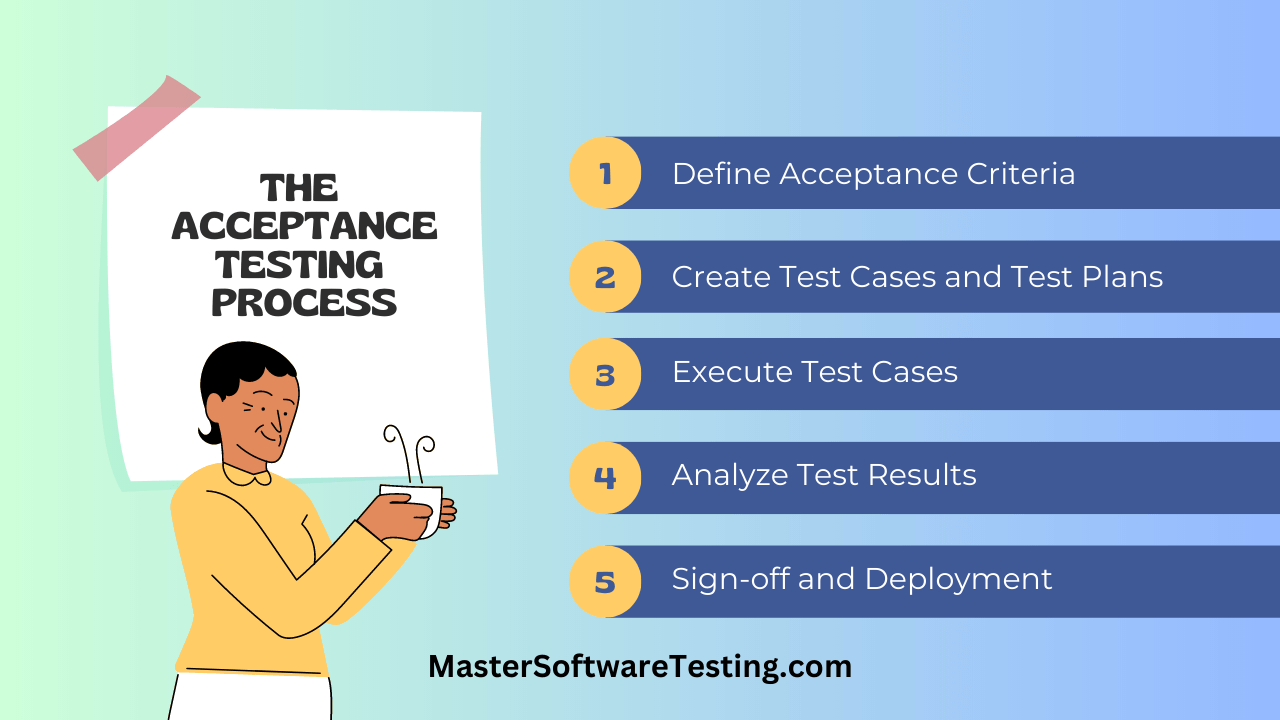
Step 1: Define Clear Acceptance Criteria
Acceptance criteria are measurable conditions that software must satisfy to be considered acceptable for release. These criteria form the foundation for creating test cases.
Criteria Definition Process:
Collaborate with Stakeholders: Work with product owners, business analysts, and end users to define what success looks like for each feature and requirement.
Use Specific Language: Avoid ambiguous terms. Instead of "the system should be fast," specify "search results must display within 2 seconds."
Cover Functional and Non-Functional Requirements: Include both what the software does (functionality) and how well it does it (performance, usability, security).
Document Acceptance Criteria:
- Expected behavior and outcomes
- Input conditions and preconditions
- Success and failure scenarios
- Performance expectations
- Usability standards
- Integration requirements
- Compliance and regulatory needs
Step 2: Create Detailed Test Cases
Test cases translate acceptance criteria into specific, executable tests that validate whether criteria are met.
Effective Test Case Components:
Test Case ID: Unique identifier for tracking and reference.
Test Objective: Clear statement of what the test validates.
Preconditions: Conditions that must exist before executing the test, including required data, system state, and access.
Test Steps: Detailed, numbered steps describing exactly what to do. Include which buttons to click, what data to enter, and what actions to take.
Expected Results: Specific, observable outcomes that indicate the test passed. Define exactly what should happen after each step.
Actual Results: Space to record what actually happened during test execution.
Pass/Fail Status: Clear indication whether the test met expectations.
Test Data: Specific data values to use, including normal cases, edge cases, and error conditions.
Example Test Case:
Test Case ID: UAT-LOGIN-001
Objective: Verify users can log in with valid credentials

Preconditions:
- User account exists in system
- Username: testuser@example.com
- Password: Test@1234

Test Steps:
1. Navigate to application login page
2. Enter username in email field
3. Enter password in password field
4. Click "Log In" button

Expected Results:
1. Login page displays correctly with email and password fields
2. Username appears in email field
3. Password appears as masked characters
4. User is redirected to dashboard page within 2 seconds
5. Welcome message displays with user's name

Actual Results: [To be filled during execution]
Status: [Pass/Fail]
Test Coverage Considerations:
Positive Test Cases: Validate the system works correctly with valid inputs and normal usage.
Negative Test Cases: Confirm the system handles invalid inputs, error conditions, and unexpected scenarios appropriately.
Boundary Test Cases: Test limits, thresholds, and edge conditions like maximum file sizes, character limits, or date ranges.
End-to-End Workflows: Validate complete business processes from start to finish, ensuring all steps work together smoothly.
Step 3: Execute Test Cases
Test execution involves running test cases, observing results, and documenting outcomes systematically.
Execution Best Practices:
Follow Test Steps Exactly: Execute tests precisely as written to ensure consistency and reproducibility.
Document Everything: Record actual results, screenshots of issues, error messages, and any observations even if they seem minor.
Test in Order: Execute tests in logical sequence, starting with critical functionality and foundational features before advanced scenarios.
Use Realistic Scenarios: Perform tests as users would actually work, not just following scripts mechanically.
Maintain Independence: Each test should run independently without depending on previous test results when possible.
During Execution:
Record Issues Immediately: Document defects as you find them with sufficient detail for developers to reproduce the problem.
Include Context: Capture screenshots, error messages, console logs, and steps taken before the issue occurred.
Note Workarounds: If you find ways to bypass issues, document them but still report the underlying defect.
Test Deviations: Note when you deviate from test scripts to explore issues or test related scenarios, and document your findings.
Step 4: Analyze Results and Report Defects
After executing tests, analyze results to determine whether acceptance criteria are met and report issues that require attention.
Defect Reporting Elements:
Clear Title: Summarize the issue concisely. Example: "Login fails with valid credentials when password contains special characters."
Severity and Priority: Indicate how critical the issue is and how urgently it needs fixing.
Detailed Description: Explain what happened, what should have happened, and the business impact.
Steps to Reproduce:
- List exact steps to recreate the issue
- Include specific data values used
- Note environment and configuration details
- Specify any preconditions
Expected vs. Actual Behavior: Clearly state what should happen versus what actually occurred.
Supporting Evidence: Attach screenshots, screen recordings, log files, or error messages that illustrate the problem.
Environment Details: Include browser version, operating system, device type, and relevant configuration information.
Effective bug reports answer all questions developers might have about reproducing and understanding the issue. The more detail you provide, the faster issues get resolved.
Defect Prioritization:
Critical: Blocks testing or makes core functionality unusable. Requires immediate attention.
High: Significant functionality impaired but workarounds exist. Affects many users or important features.
Medium: Noticeable issues that don't prevent core functionality. Should be fixed but not blocking.
Low: Minor issues, cosmetic problems, or edge cases with minimal user impact.
Step 5: Obtain Sign-off and Prepare for Deployment
Once all critical defects are resolved and acceptance criteria are met, stakeholders provide formal sign-off approving the software for deployment.
Sign-off Requirements:
Exit Criteria Met: Confirm all exit criteria defined in the test plan are satisfied.
Critical Defects Resolved: Verify no critical or high-priority defects remain open.
Acceptance Criteria Validated: Demonstrate that all defined acceptance criteria pass testing.
Documentation Complete: Ensure user guides, release notes, training materials, and operational documentation are ready.
Stakeholder Agreement: Obtain explicit approval from product owners, business sponsors, and other key stakeholders.
Sign-off Documentation:
Create formal sign-off documents that include:
- Summary of testing performed
- Test results and metrics
- Outstanding issues and their status
- Known limitations or workarounds
- Signatures or approvals from authorized stakeholders
- Date and version approved for release
Post-Sign-off Activities:
Deployment Planning: Coordinate with operations team for production deployment.
Rollback Plans: Ensure procedures exist to revert if production issues occur.
Monitoring Setup: Configure monitoring and alerting for production environment.
Support Readiness: Brief support teams on new features, known issues, and troubleshooting guidance.
Acceptance Testing in Agile Development
Continuous Acceptance Testing
Agile methodologies integrate acceptance testing throughout the development lifecycle rather than treating it as a final phase. This approach provides faster feedback and reduces risk.
Continuous Testing Approach:
Testing During Sprints: Acceptance tests are created and executed within the same sprint that implements features, enabling immediate validation.
Rapid Feedback Loops: Issues discovered early can be addressed before code moves too far ahead, reducing rework costs.
Incremental Validation: Each sprint delivers potentially shippable increments that pass acceptance testing, building confidence progressively.
Living Documentation: Acceptance tests serve as executable specifications that stay current with evolving requirements.
Continuous Testing Practices:
Acceptance Criteria in User Stories: Each user story includes clear acceptance criteria defined before development begins.
Sprint Demo Validation: Sprint reviews include stakeholder validation that implemented features meet expectations.
Automated Acceptance Tests: Where feasible, automate acceptance tests to run continuously, catching regressions quickly.
Definition of Done Enforcement: Teams don't consider work complete until it passes acceptance criteria.
Integrating Acceptance Tests in Sprints
Effective integration of acceptance testing within Agile sprints requires planning and coordination.
Sprint Planning Considerations:
Include Testing Effort: Account for acceptance testing time when estimating and planning sprint capacity.
Test Case Preparation: Create test cases early in the sprint so they're ready when features are implemented.
User Availability: Schedule time with end users or representatives for testing during the sprint.
Testing Time Buffer: Reserve sprint time for defect fixes and retesting after issues are resolved.
Sprint Testing Workflow:
- Sprint Planning: Review user stories and acceptance criteria with the team
- Early Sprint: Developers and testers collaborate on test case design
- Mid Sprint: As features complete, begin acceptance testing
- Late Sprint: Retest fixes, validate acceptance criteria are met
- Sprint Review: Demonstrate passing acceptance tests to stakeholders
- Sprint Retrospective: Discuss what worked and how to improve testing
Acceptance Test-Driven Development (ATDD)
Acceptance Test-Driven Development (ATDD) is a collaborative approach where acceptance tests are defined before implementation begins.
ATDD Process:
Collaborative Specification: Product owners, developers, and testers discuss requirements together and define acceptance tests collaboratively.
Test-First Approach: Write acceptance tests before writing code, clarifying expected behavior upfront.
Shared Understanding: The discussion around creating tests builds shared understanding of requirements across the team.
Executable Specifications: Acceptance tests become executable specifications that validate the implementation.
ATDD Workflow:
- Discussion: Team discusses user story and identifies acceptance scenarios
- Specification: Write acceptance tests that define expected behavior
- Implementation: Developers implement functionality to pass the tests
- Validation: Run acceptance tests to confirm implementation meets criteria
- Refinement: Refine implementation and tests based on feedback
ATDD Benefits:
- Clarifies requirements before coding begins
- Reduces misunderstandings and rework
- Provides immediate validation of implementation
- Creates regression test suite automatically
- Improves collaboration across roles
Best Practice: Use ATDD to create shared understanding between developers, testers, and business stakeholders. The conversation around defining tests often catches requirement gaps before any code is written.
Automation in Acceptance Testing
When to Automate Acceptance Tests
Automation can increase efficiency and consistency in acceptance testing, but not all acceptance tests should be automated.
Good Candidates for Automation:
Repetitive Test Scenarios: Tests that run frequently, like regression tests for core functionality, benefit significantly from automation.
Stable Functionality: Features unlikely to change dramatically work well for automation. Frequently changing features require constant test updates.
Data-Driven Tests: Scenarios requiring multiple data variations can be automated to test comprehensive combinations efficiently.
API and Integration Tests: Backend acceptance tests validating API contracts and system integrations automate well.
Smoke Tests: Basic functionality checks run before detailed testing can be automated to save time.
Poor Candidates for Automation:
Exploratory Testing: Human intuition and creativity in exploring software can't be fully automated.
Usability Evaluation: Subjective assessments of user experience, visual appeal, and intuitiveness require human judgment.
Complex User Interactions: Sophisticated UI interactions may be too fragile or expensive to automate reliably.
One-Time Tests: Tests run once or rarely don't justify automation investment.
Rapidly Changing Features: Unstable requirements make test automation maintenance costly.
💡
Remember that user acceptance testing primarily focuses on validating software from the end user perspective. While automation helps with repetitive checks, manual testing by actual users remains essential for evaluating real-world usability and user satisfaction.
Tools for Acceptance Test Automation
Several tools support acceptance test automation across different application types.
Behavior-Driven Development (BDD) Tools:
Cucumber: Enables writing tests in natural language (Gherkin syntax) that non-technical stakeholders can understand. Supports multiple programming languages including Java, Ruby, JavaScript, and Python.
SpecFlow: .NET implementation of Cucumber that integrates with Visual Studio and supports C# applications.
Behave: Python-based BDD framework using Gherkin syntax for defining tests in plain language.
UI Test Automation Tools:
Selenium WebDriver: Industry-standard tool for automating web browser interactions across Chrome, Firefox, Safari, and Edge.
Playwright: Modern browser automation framework from Microsoft supporting Chromium, WebKit, and Firefox with powerful features for reliable tests.
Cypress: JavaScript-based testing framework designed for modern web applications with fast execution and excellent debugging capabilities.
TestCafe: Open-source tool for testing web applications without WebDriver dependencies, simplifying setup and maintenance.
API Testing Tools:
Postman: Popular tool for API testing with collection runners for automated test execution and integration with CI/CD pipelines.
REST Assured: Java library for testing RESTful APIs with simple, readable syntax for API validation.
Karate: Open-source tool combining API testing, mocks, performance testing, and UI automation in a single framework.
Mobile Testing Tools:
Appium: Open-source tool for automating native, hybrid, and mobile web applications on iOS and Android platforms.
Espresso: Google's testing framework for Android applications providing fast, reliable UI testing.
XCUITest: Apple's framework for testing iOS applications with deep integration into Xcode development environment.
Test Management Platforms:
TestRail: Comprehensive test management tool for organizing test cases, managing test runs, and reporting results.
Zephyr: Test management solution integrating with Jira for organizations using Atlassian tools.
qTest: Enterprise test management platform supporting manual and automated testing with analytics and reporting.
Balancing Manual and Automated Testing
Effective acceptance testing combines manual and automated approaches, using each where it provides the most value.
Automation Focus Areas:
- Repetitive regression tests
- API and integration validation
- Performance and load testing
- Data validation across scenarios
- Smoke and sanity tests
- Cross-browser compatibility checks
Manual Testing Focus Areas:
- Initial user acceptance validation
- Usability and user experience evaluation
- Exploratory testing for edge cases
- Visual design and layout verification
- New feature validation before automation
- Complex business logic requiring judgment
Balanced Testing Strategy:
Automate the Pyramid Base: Implement automated unit, integration, and API tests to validate technical functionality continuously.
Manual UI Validation: Conduct manual testing for user-facing features, especially for first-time validation and usability assessment.
Selective UI Automation: Automate critical user workflows and frequently executed UI tests, accepting that some UI tests remain manual.
Continuous Improvement: Regularly assess which manual tests would benefit from automation and incrementally build automated coverage.
Best Practices for Successful Acceptance Testing
 Best Practices for Acceptance Testing
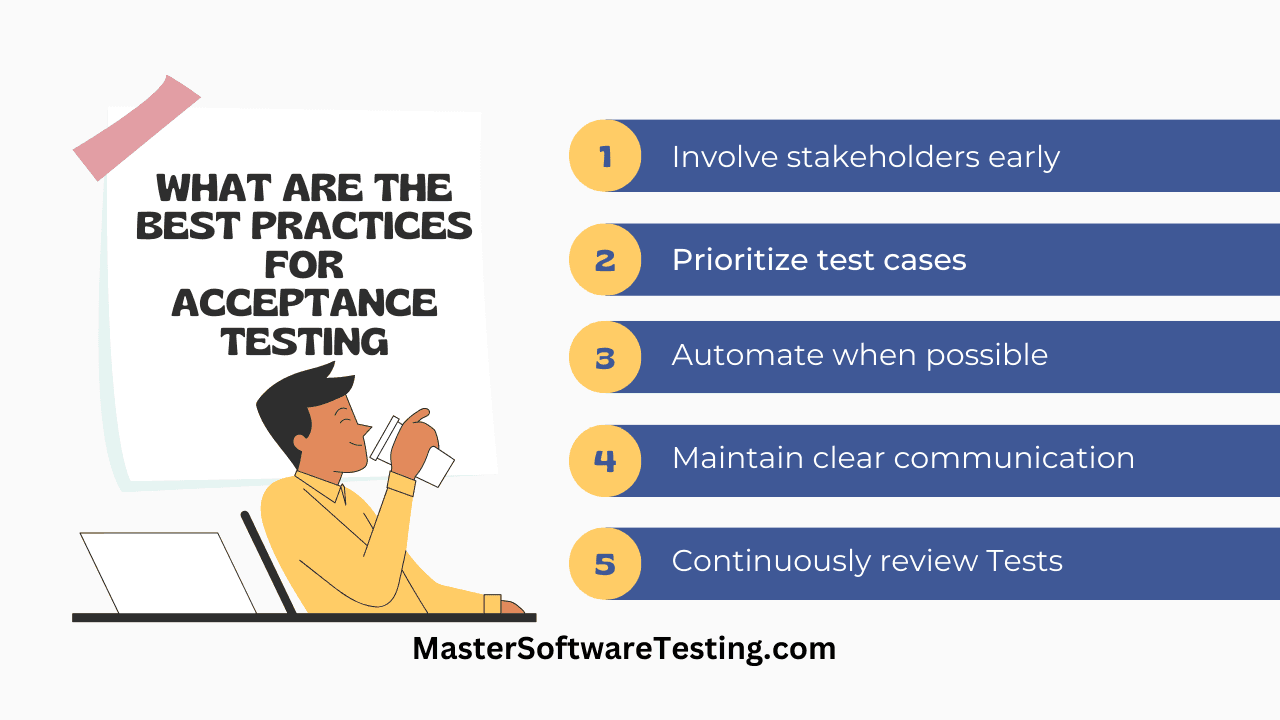
Early Stakeholder Involvement
Engaging stakeholders early in the acceptance testing process prevents misunderstandings and ensures testing validates what actually matters.
Early Involvement Benefits:
Clear Requirements: Stakeholders help define precise acceptance criteria before development begins, reducing ambiguity.
Realistic Expectations: Early discussions align expectations about what the software will and won't do, preventing disappointment later.
Priority Alignment: Stakeholders identify which features are critical versus nice-to-have, focusing testing on what matters most.
Faster Approvals: Stakeholders involved throughout are familiar with the software and can approve results more quickly.
Stakeholder Engagement Activities:
Requirements Workshops: Facilitate collaborative sessions where stakeholders, users, and technical teams define requirements and acceptance criteria together.
Regular Demonstrations: Show working software frequently to stakeholders for feedback, even before testing formally begins.
Test Planning Review: Have stakeholders review test plans to confirm testing will validate what they care about.
Test Execution Observation: Invite stakeholders to observe testing sessions, providing immediate feedback and clarification.
Production-Like Test Environments
Test environments that closely mirror production reduce the risk of environment-specific issues appearing after deployment.
Environment Similarity Requirements:
Infrastructure Matching: Use the same operating systems, database versions, application servers, web servers, and middleware as production.
Configuration Alignment: Apply identical configuration files, environment variables, security settings, and system parameters.
Data Volume Realism: Test with data volumes comparable to production to reveal performance issues that small datasets hide.
Integration Fidelity: Connect to actual or high-fidelity simulations of integrated systems, APIs, and third-party services.
Network Simulation: Replicate production network conditions including latency, bandwidth constraints, and connectivity scenarios users experience.
Environment Management Practices:
Dedicated UAT Environment: Maintain a separate UAT environment isolated from development and QA to prevent interference from ongoing work.
Environment Refresh Procedures: Establish processes for resetting the environment to known states between testing cycles.
Environment Documentation: Document environment specifications, setup procedures, and access information for consistency.
Environment Monitoring: Monitor test environment health and resource utilization to ensure it remains stable during testing.
⚠️
Testing in unrealistic environments often results in false confidence. Issues caused by production environment characteristics won't surface until after deployment when they're much more expensive to address.
Comprehensive Test Coverage
Thorough test coverage ensures acceptance testing validates all critical aspects of the software.
Coverage Dimensions:
Functional Coverage: Test all features, user workflows, and business processes the software should support.
Scenario Coverage: Include normal usage, edge cases, error conditions, and boundary scenarios.
User Role Coverage: Test from the perspective of all user roles, each with different permissions, capabilities, and workflows.
Integration Coverage: Validate all integration points with other systems, APIs, databases, and third-party services.
Data Coverage: Test with various data types, volumes, formats, and quality conditions including invalid and missing data.
Platform Coverage: When applicable, test across supported browsers, devices, operating systems, and screen sizes.
Test Prioritization:
Not all coverage is equally important. Prioritize based on:
- Business criticality and impact
- Frequency of use
- Risk of failure
- Complexity of functionality
- Regulatory requirements
- User-facing visibility
Traceability:
Maintain a requirements traceability matrix linking requirements to test cases. This ensures every requirement has corresponding tests and helps identify coverage gaps.
Effective Defect Management
How teams manage defects discovered during acceptance testing significantly impacts project success.
Defect Lifecycle Management:
Logging: Record defects immediately when found with sufficient detail for reproduction and resolution.
Triage: Review defects to assess severity, priority, and validity. Eliminate duplicates and invalid reports.
Assignment: Route defects to appropriate developers based on component ownership and expertise.
Resolution: Developers fix issues and mark them resolved with explanations of changes made.
Verification: Testers confirm fixes resolve the issues without introducing new problems.
Closure: Verified fixes are closed, completing the defect lifecycle.
Defect Prioritization Framework:
Critical: System crashes, data loss, security vulnerabilities, or complete feature failures affecting most users.
High: Major functionality impaired significantly impacting users, though workarounds may exist.
Medium: Noticeable issues affecting some users or scenarios but not preventing core functionality.
Low: Minor problems, cosmetic issues, or rare edge cases with minimal user impact.
Defect Metrics:
Track metrics to understand testing effectiveness:
- Defects found per test session
- Defects by severity and priority
- Time to resolve defects
- Defect reopen rate
- Outstanding defects by age
- Defect trends over time
Clear Communication Channels
Effective communication between testers, developers, stakeholders, and users keeps everyone aligned and informed.
Communication Mechanisms:
Daily Stand-ups: Brief daily meetings to share testing progress, blockers, and coordination needs during testing phases.
Status Reports: Regular updates on testing progress, defects found, risks identified, and expected completion.
Defect Review Meetings: Discuss critical defects, prioritization decisions, and resolution strategies collaboratively.
Escalation Procedures: Clear paths for escalating blocking issues, delays, or resource needs to appropriate decision-makers.
Shared Documentation: Centralized test plans, test cases, results, and defect logs accessible to all team members.
Communication Tools:
Test Management Systems: Platforms like TestRail, Zephyr, or qTest centralize test artifacts and enable collaboration.
Defect Tracking Systems: Tools like Jira, Azure DevOps, or Bugzilla manage defect lifecycle and communication.
Collaboration Platforms: Slack, Microsoft Teams, or similar tools facilitate quick questions and coordination.
Video Conferencing: Tools like Zoom or Google Meet support remote testing collaboration and demonstrations.
Common Challenges and Practical Solutions
Limited User Participation
Getting sufficient user involvement in acceptance testing is one of the most common challenges organizations face.
Why Users Can't Participate:
- Daily work responsibilities take priority
- Testing feels like extra work without clear value to them
- Users lack time or permission from management
- Geographic distribution makes coordination difficult
- Skepticism about whether feedback will be implemented
Solutions for Increasing Participation:
Executive Sponsorship: Secure leadership support emphasizing UAT importance and allocating user time for testing.
Minimize User Burden: Respect user time by preparing thoroughly, providing clear instructions, and testing only what requires user validation.
Show Value: Demonstrate how user feedback prevents problems they would otherwise experience after deployment.
Convenient Scheduling: Offer flexible testing windows, remote testing options, and respect user availability constraints.
Recognize Contributions: Acknowledge and thank users for their participation, showing appreciation for their effort.
User Proxies: When actual users truly aren't available, use business analysts or power users who deeply understand user needs as representatives.
Incentivize Participation: Consider recognition, rewards, or career development opportunities for active test participants.
Unclear Requirements
Ambiguous or incomplete requirements make defining acceptance criteria and creating tests difficult.
Symptoms of Unclear Requirements:
- Stakeholders disagree on expected behavior
- Acceptance criteria are vague or missing
- Testers uncertain what to validate
- Frequent changes and clarifications needed
- Difficulty determining pass/fail outcomes
Solutions:
Requirements Workshops: Facilitate collaborative sessions bringing stakeholders, users, developers, and testers together to define requirements clearly.
User Story Refinement: Use story refinement sessions to elaborate requirements, define acceptance criteria, and resolve ambiguities before implementation.
Prototyping: Create mockups, wireframes, or working prototypes to visualize functionality and validate understanding.
Examples and Scenarios: Document concrete examples of how features should work in specific scenarios to clarify abstract requirements.
Questions Log: Maintain a list of questions and clarifications, ensuring they're answered before testing begins.
Acceptance Criteria Review: Have stakeholders review and approve acceptance criteria explicitly before development starts.
Test-Driven Requirements: Use ATDD approaches where defining tests collaboratively clarifies requirements.
Time and Resource Constraints
Acceptance testing often gets squeezed by aggressive schedules and limited resources.
Common Constraints:
- Testing window compressed by development delays
- Insufficient testers for scope of work
- Test environment unavailable or unstable
- Pressure to skip testing to meet deadlines
- Budget limitations restricting testing tools or support
Solutions:
Risk-Based Testing: Focus testing on highest-risk, highest-impact areas when time is limited. Test critical paths thoroughly even if some edge cases are skipped.
Test Prioritization: Clearly prioritize test cases, executing must-have tests first and treating nice-to-have tests as optional if time runs out.
Test Automation: Automate repetitive tests to free tester time for complex scenarios requiring human judgment.
Parallel Testing: Run independent tests simultaneously with multiple testers to accelerate coverage.
Time-Boxing: Set fixed time limits for testing phases, making deliberate decisions about scope rather than letting schedules slip indefinitely.
Shift-Left Testing: Begin acceptance test planning and preparation early, creating test cases during development rather than waiting until code is complete.
Realistic Scheduling: Build realistic timelines that account for testing, defect resolution, and retesting. Push back on unrealistic deadlines with data about risks.
Skipping or rushing acceptance testing to meet deadlines often backfires. Production defects cost significantly more to fix than finding issues before deployment.
Incomplete Test Data
Acceptance testing requires realistic, comprehensive data to validate functionality properly. Inadequate test data limits testing effectiveness.
Test Data Challenges:
- Production data unavailable due to privacy concerns
- Insufficient data volume to test realistic scenarios
- Missing edge cases and boundary conditions
- Data quality issues making results unreliable
- Complex data relationships difficult to create manually
Solutions:
Data Anonymization: Use tools to scrub sensitive information from production data copies, making realistic data available while protecting privacy.
Synthetic Data Generation: Create artificial data that mimics production characteristics in volume, variety, and complexity using data generation tools.
Data Subsetting: Extract representative subsets of production data that include diverse scenarios and edge cases without requiring complete datasets.
Test Data Management Tools: Implement tools that provision, manage, and refresh test data systematically.
Data Creation Scripts: Develop automated scripts that generate required test data on demand with specified characteristics.
Data Catalogs: Document available test data, its characteristics, and appropriate use cases to help testers find what they need.
Dedicated Data Preparation: Allocate time and resources specifically for test data creation and maintenance.
Distributed and Remote Teams
Global teams and remote work arrangements create coordination challenges for acceptance testing.
Distributed Team Challenges:
- Time zone differences limiting collaboration
- Communication delays and misunderstandings
- Difficult to observe testing or provide real-time support
- Cultural and language differences affecting clarity
- Technology barriers for remote access
Solutions:
Asynchronous Communication: Use detailed written communication, recorded video demonstrations, and comprehensive documentation to enable collaboration across time zones.
Overlap Hours: Identify time windows where team members overlap and schedule critical activities like test planning or defect triage then.
Cloud-Based Tools: Use cloud test management platforms, collaboration tools, and remote test environments accessible from anywhere.
Clear Documentation: Provide detailed test cases, setup instructions, and guidelines that testers can follow independently.
Video Recordings: Record screen captures demonstrating issues or test execution for asynchronous review.
Regular Check-ins: Schedule regular virtual meetings for status updates, question resolution, and coordination despite distance.
Cultural Awareness: Provide training on cultural differences, communication styles, and language considerations to improve collaboration.
Measuring Acceptance Testing Success
Key Metrics and KPIs
Tracking metrics helps teams understand acceptance testing effectiveness and identify improvement opportunities.
Test Execution Metrics:
Test Completion Rate: Percentage of planned test cases executed. Indicates whether testing scope is on track.
Test Pass Rate: Percentage of executed tests that passed. High pass rates suggest good quality; very low rates may indicate premature testing.
Defect Detection Rate: Number of defects found per test session or test case. Helps assess whether testing is uncovering issues effectively.
Test Coverage: Percentage of requirements with corresponding executed tests. Confirms comprehensive validation.
Defect Metrics:
Defects by Severity: Distribution of defects across critical, high, medium, and low severities. Helps prioritize resolution efforts.
Defect Resolution Time: Average time from defect discovery to verified resolution. Indicates team responsiveness.
Defect Reopen Rate: Percentage of defects that reopen after being marked fixed. High rates suggest quality issues in fixes.
Outstanding Defects: Current count of unresolved defects by severity. Tracks progress toward exit criteria.
Efficiency Metrics:
Test Execution Velocity: Average test cases executed per day or hour. Helps estimate completion timelines.
Defect Detection Efficiency: Percentage of total defects found during acceptance testing versus production. Higher percentages indicate more effective testing.
Test ROI: Value delivered by testing (production defects prevented) versus testing cost. Demonstrates testing value to stakeholders.
Exit Criteria Definition
Exit criteria define the conditions that must be satisfied before acceptance testing is considered complete and software is approved for deployment.
Common Exit Criteria:
All Planned Tests Executed: 100% of planned test cases have been run with documented results.
Critical Defects Resolved: Zero open critical-severity defects remain unfixed.
High-Priority Defects Addressed: All high-priority defects are either fixed or have approved workarounds and documentation.
Acceptance Criteria Met: All defined acceptance criteria pass testing successfully.
Test Coverage Goals Achieved: Specified coverage targets for requirements, features, or user workflows are met.
Stakeholder Approval: Product owners, business sponsors, and key stakeholders explicitly approve the software for release.
Documentation Complete: User documentation, release notes, known issues, and operational documentation are finalized.
Performance Criteria Satisfied: Performance, scalability, and reliability benchmarks meet defined thresholds.
Exit Criteria Customization:
Tailor exit criteria to project context. Highly regulated applications may require stricter criteria, while rapid iteration environments might accept different thresholds with appropriate risk acceptance.
Success Indicators
Beyond quantitative metrics, qualitative indicators help assess acceptance testing success.
Positive Success Indicators:
Stakeholder Confidence: Business stakeholders and users express confidence the software meets their needs.
Few Production Defects: Minimal issues reported after deployment, indicating thorough testing.
Smooth Deployment: Deployment proceeds without major incidents, rollbacks, or emergency fixes.
User Adoption: Users adopt the software readily without significant resistance or support escalations.
Reduced Support Load: Post-deployment support requests remain manageable without overwhelming help desk.
Knowledge Transfer: Operations and support teams feel prepared to maintain and support the software.
Warning Indicators:
Late Defect Discovery: Finding critical issues very late suggests inadequate earlier testing or unstable requirements.
Rushed Testing: Pressure to skip tests, reduce scope, or accept known defects indicates schedule problems.
Environment Problems: Frequent test environment issues preventing effective testing.
Communication Breakdowns: Confusion about requirements, expectations, or results among team members.
Low User Engagement: Difficulty getting user participation or feedback suggests potential adoption challenges ahead.
Conclusion
Acceptance testing validates that software delivers actual business value and meets real user needs before deployment. This critical quality gate protects organizations from releasing applications that fail to satisfy stakeholders despite passing technical tests.
 Acceptance Testing Success
Effective acceptance testing requires thoughtful planning, clear acceptance criteria, appropriate tester selection, and realistic test environments. Teams must balance manual testing by actual users with automation for repetitive validations, applying each approach where it provides the most value.
Key Takeaways:
Multiple Testing Types: User Acceptance Testing (UAT) validates user satisfaction, Operational Acceptance Testing (OAT) confirms deployment readiness, and specialized forms address contracts, regulations, and business objectives.
Clear Criteria Required: Well-defined, measurable acceptance criteria provide the foundation for objective validation and successful testing.
User Involvement Essential: Actual end users or knowledgeable representatives must participate in acceptance testing to validate real-world usability and satisfaction.
Production-Like Environments: Testing in environments that closely mirror production reveals issues that unrealistic test conditions hide.
Continuous in Agile: Agile methodologies integrate acceptance testing throughout development with continuous validation, ATDD, and sprint-based testing.
Balance Automation: Combine automated testing for repetitive checks with manual validation requiring human judgment and usability assessment.
Communication Critical: Clear communication channels, effective defect management, and stakeholder involvement keep everyone aligned throughout testing.
As you implement acceptance testing in your organization, start by defining clear acceptance criteria collaboratively with stakeholders. Engage actual users in validation, create comprehensive test plans, and establish production-like test environments. Address common challenges like limited user participation, unclear requirements, and resource constraints with the practical solutions outlined in this guide.
Acceptance testing represents your final opportunity to validate software before users experience it. Invest the time and effort to conduct thorough acceptance testing. Your organization, your users, and your reputation will benefit from the quality, usability, and business value this validation ensures.
Quiz on Acceptance Testing
Your Score: 0/13
Question: What is the primary purpose of acceptance testing?
Frequently Asked Questions (FAQs) / People Also Ask (PAA)
Who is responsible for acceptance testing?
How is acceptance testing performed in Agile development?
What are acceptance testing criteria and how do you define them?
Where is acceptance testing performed and what environment is needed?
Can user acceptance testing be automated?
What distinguishes acceptance testing from system integration testing?
What is the difference between alpha testing and beta testing?
How long should acceptance testing take?
Continue Reading
The Software Testing Lifecycle: An OverviewDive into the crucial phase of Test Requirement Analysis in the Software Testing Lifecycle, understanding its purpose, activities, deliverables, and best practices to ensure a successful software testing process.Types of Software TestingThis article provides a comprehensive overview of the different types of software testing.Integration TestingLearn the essentials of integration testing, its importance, types, best practices, and tools.Unit Testing in SoftwareLearn the fundamentals of unit testing in software, its importance in functional testing, and how to ensure early bug detection, improved code quality, and seamless collaboration among team members.