
Test Reporting in Software Testing: Creating Reports That Drive Action
 Test Reporting Phase in Software Testing
Test reporting is where testing outcomes become visible to the organization. A well-crafted test report doesn't just summarize what happened - it informs decisions about release readiness, highlights risks that need attention, and provides the evidence stakeholders need to make informed choices about software quality.
Poor test reporting creates problems. Reports that are too technical confuse business stakeholders. Reports that are too vague leave decision-makers without the information they need. Reports delivered too late miss the window for action. This guide covers how to create test reports that actually get read and drive the right decisions.
The test reporting phase follows test analysis in the Software Testing Life Cycle. After analyzing test results, patterns, and root causes, test reporting packages those findings into formats appropriate for different audiences. The outputs feed into the fixing phase where identified defects are addressed.
Quick Answer: Test Reporting at a Glance
| Aspect | Details |
|---|---|
| What | The process of consolidating test results, metrics, and findings into reports that communicate quality status to stakeholders |
| When | After test execution and analysis, before the fixing phase |
| Key Deliverables | Test summary report, test metrics report, defect report, test coverage report |
| Who | Test leads, QA managers, with input from test engineers and analysts |
| Best For | Communicating release readiness, tracking quality trends, informing go/no-go decisions |
Table Of Contents-
- What is Test Reporting - Purpose of Test Reporting - Position in the STLC - Types of Test Reports
- Test Summary Report - Test Status Report - Defect Report - Test Coverage Report - Key Components of a Test Report - Executive Summary - Test Execution Results - Defect Summary - Test Metrics - Risks and Recommendations - Entry and Exit Criteria - Entry Criteria - Exit Criteria - Test Metrics That Matter - Execution Metrics - Defect Metrics - Coverage Metrics - Creating Reports for Different Audiences - Reports for Executives - Reports for Project Managers - Reports for Development Teams - Common Reporting Mistakes - Best Practices for Effective Test Reporting - Risks in the Test Reporting Phase - Conclusion
What is Test Reporting
Purpose of Test Reporting
Test reporting serves three primary purposes:
Communicate quality status: Stakeholders need to understand whether the software meets quality expectations. Is it ready for release? What defects remain? Where are the risks? Test reports answer these questions with data rather than opinions.
Enable informed decisions: Release decisions shouldn't be based on gut feeling. Test reports provide the evidence - pass rates, defect severity, coverage gaps - that decision-makers need to choose wisely between shipping, delaying, or proceeding with known limitations.
Document testing activities: Test reports create a record of what was tested, what was found, and what was done about it. This documentation supports audits, provides historical data for future planning, and establishes accountability for quality decisions.
💡 Key Insight: The best test reports don't just describe what happened - they clearly state what it means and what should be done about it.
Position in the STLC
Test reporting comes after test execution and test analysis. By this point, tests have run, results are recorded, defects are logged, and patterns have been identified through analysis.
Inputs to test reporting:
- Test execution results (pass/fail/blocked status)
- Defect reports with severity and priority
- Test coverage data
- Analysis findings including patterns and root causes
- Requirements traceability matrix
Outputs from test reporting:
- Test summary report
- Test metrics report
- Defect summary report
- Recommendations for release or further action
- Input for the fixing phase
The timing of reports matters. A comprehensive final report is valuable, but stakeholders often need interim updates during test execution. Daily or weekly status reports keep everyone informed as testing progresses.
Types of Test Reports
Test Summary Report
The test summary report is the primary deliverable of the test reporting phase. It provides a comprehensive view of testing activities and outcomes for a test cycle or release.
Contents typically include:
- Test objectives and scope
- Test execution summary (passed, failed, blocked, not run)
- Defect summary by severity and status
- Test coverage assessment
- Key metrics and trends
- Risks and outstanding issues
- Overall quality assessment
- Recommendations
The test summary report is often the document executives and stakeholders review before making release decisions.
Structure of a test summary report:
| Section | Purpose |
|---|---|
| Executive Summary | One-page overview for busy stakeholders |
| Test Scope | What was tested and what was excluded |
| Execution Summary | Pass/fail/blocked statistics |
| Defect Analysis | Defects by severity, status, and area |
| Coverage Assessment | Requirements and features tested |
| Risk Assessment | Outstanding concerns and their impact |
| Recommendations | Go/no-go guidance with rationale |
| Appendix | Detailed data for reference |
💡 Key Insight: The test summary report should tell a story, not just present data. Start with the conclusion (are we ready?), support it with evidence, and end with clear next steps.
Test Status Report
Test status reports are interim updates provided during test execution. They keep stakeholders informed of progress without waiting for the final summary.
Frequency: Daily or weekly depending on project needs
Contents:
- Tests planned vs. executed vs. remaining
- Defects opened and closed since last report
- Blockers or issues affecting progress
- Projected completion date
- Immediate concerns requiring attention
Keep status reports brief. They're updates, not comprehensive analyses.
Sample status report structure:
Test Status Report - Sprint 14, Day 3
=====================================
Progress: 156/230 tests executed (68%)
Today: +42 tests executed, +8 defects found

Results Summary:
- Passed: 128 (82%)
- Failed: 22 (14%)
- Blocked: 6 (4%)

New Defects Today:
- 2 High: Payment module validation
- 4 Medium: UI alignment issues
- 2 Low: Typos in messages

Blockers:
- Integration test environment down (ETA: 2 hours)

Projection:
- On track to complete by Friday
Status reports should take minutes to create, not hours. If you're spending significant time on daily reports, automate the data collection.
Defect Report
Defect reports focus specifically on bugs found during testing. They may be standalone reports or sections within larger reports.
Contents:
- Total defects by severity and priority
- Defects by status (open, in progress, fixed, verified, closed)
- Defects by module or feature area
- Defect aging (how long defects have been open)
- Trends over time
- Critical or blocking defects requiring immediate attention
Test Coverage Report
Coverage reports document what was tested relative to what needed testing.
Contents:
- Requirements coverage (requirements tested vs. total requirements)
- Feature coverage (features exercised during testing)
- Test case coverage (test cases executed vs. planned)
- Code coverage (if automated tools provide this data)
- Gaps in coverage and associated risks
Key Components of a Test Report
Executive Summary
Start every major report with an executive summary. This section answers the questions stakeholders care about most:
- Overall status: Is quality acceptable? Are we ready to release?
- Key findings: What are the most important discoveries?
- Risks: What issues might affect the release or users?
- Recommendation: What action do you suggest?
Keep the executive summary to one page or less. Busy stakeholders may read only this section.
✅ Best Practice: Write the executive summary last, after completing the detailed sections. Summarizing is easier when you've already organized your thoughts.
Test Execution Results
Present execution results clearly, typically in a table:
| Status | Count | Percentage |
|---|---|---|
| Passed | 342 | 78% |
| Failed | 65 | 15% |
| Blocked | 18 | 4% |
| Not Run | 13 | 3% |
| Total | 438 | 100% |
Beyond raw numbers, explain what the results mean:
- Are the failures concentrated in specific areas?
- What's blocking the blocked tests?
- Why weren't some tests run?
- How do these results compare to previous releases?
Defect Summary
Summarize defects by multiple dimensions:
By Severity:
| Severity | Open | Fixed | Verified | Total |
|---|---|---|---|---|
| Critical | 0 | 2 | 2 | 4 |
| High | 3 | 12 | 10 | 25 |
| Medium | 8 | 28 | 22 | 58 |
| Low | 5 | 15 | 11 | 31 |
By Module/Feature:
Identify which areas have the most defects. This helps stakeholders understand where quality issues are concentrated.
By Status:
Track defect lifecycle - how many are open, how many fixed, how many verified. Open critical and high-severity defects typically block releases.
Test Metrics
Include metrics that inform decisions. Common metrics:
- Test execution rate: Tests executed / Total tests planned
- Pass rate: Tests passed / Tests executed
- Defect density: Defects found / Features or modules tested
- Defect detection rate: Defects found during testing / Total defects (testing + production)
- Defect leakage: Production defects / Total defects
Present metrics with context. A 75% pass rate means nothing without knowing whether that's good or bad for this project, this release, or compared to historical data.
Risks and Recommendations
Identify risks that stakeholders should consider:
- Untested areas: What wasn't tested and why?
- Open defects: What defects remain and what's their impact?
- Time constraints: Was testing cut short? What wasn't completed?
- Environment differences: Do test environment limitations affect confidence?
Make clear recommendations:
- Proceed with release (quality acceptable)
- Proceed with known issues (document limitations)
- Delay release (critical issues require fixing)
- Additional testing needed (coverage insufficient)
⚠️ Common Mistake: Presenting data without recommendations. Reports that only describe the situation leave stakeholders to interpret quality on their own. Take a position on what the data means.
Entry and Exit Criteria
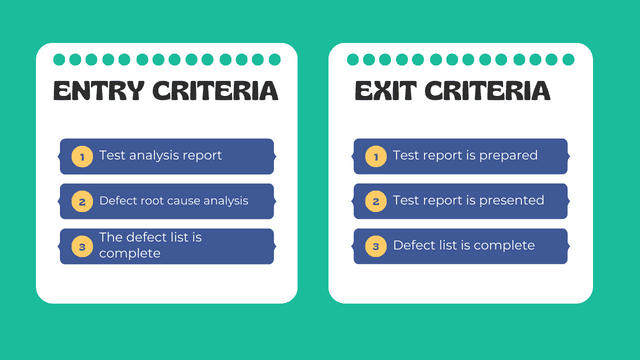
Entry Criteria
Entry criteria ensure test reporting starts with complete information. Beginning too early produces incomplete reports that require revision.
Checklist for starting test reporting:
- Test execution phase is complete (or defined stopping point reached)
- All test results recorded in test management system
- Defects logged with severity, priority, and status
- Test analysis findings documented
- Root cause analysis complete for critical defects
- Test coverage data available
- Requirements traceability current
If all criteria aren't met, document what's missing and how it affects report completeness.
Exit Criteria
Exit criteria define when test reporting is complete.
Checklist for completing test reporting:
- Test summary report drafted and reviewed
- All required metrics calculated and included
- Defect summary accurate and current
- Coverage analysis documented
- Risks clearly identified
- Recommendations stated
- Report reviewed by test lead or manager
- Report distributed to stakeholders
- Questions from stakeholders addressed
 Entry and Exit Criteria for Test Reporting Phase
Test Metrics That Matter
Execution Metrics
Test Execution Progress
Track how testing is progressing against the plan:
- Tests executed vs. planned (by day, week, or sprint)
- Tests remaining
- Projected completion date based on current velocity
Pass/Fail Rates
- Overall pass rate: Tests passed / Tests executed
- Pass rate by module or feature
- Pass rate trends over time (is quality improving or declining?)
Blocked Tests
- Count of blocked tests
- Reason for blockage (environment, dependencies, defects)
- Duration of blockage
Defect Metrics
Defect Discovery
- Defects found per day/week
- Defects found by severity
- Defect discovery trend (are you still finding defects at a steady rate, or has discovery slowed?)
Defect Resolution
- Defects fixed vs. opened
- Average time to fix by severity
- Defect verification status
Defect Aging
- How long have open defects been open?
- Aging by severity (critical defects open for days is concerning)
Coverage Metrics
Requirements Coverage
- Requirements with passing tests / Total requirements
- Requirements with no test coverage
- High-risk requirements without adequate coverage
Feature Coverage
- Features tested / Total features
- Features with failing tests
- Features not tested
Presenting coverage data effectively:
| Module | Requirements | Tested | Passed | Coverage |
|---|---|---|---|---|
| User Auth | 15 | 15 | 14 | 100% tested, 93% passing |
| Payments | 22 | 20 | 16 | 91% tested, 80% passing |
| Reporting | 18 | 12 | 10 | 67% tested, 83% passing |
| Admin | 10 | 8 | 8 | 80% tested, 100% passing |
This format shows both coverage (was it tested?) and quality (did it pass?), giving stakeholders a complete picture.
⚠️ Common Mistake: Reporting only pass rates without coverage context. A 95% pass rate means little if you only tested 50% of requirements.
Creating Reports for Different Audiences
Different stakeholders need different information presented in different ways. One report format rarely works for everyone.
Reports for Executives
Executives need the bottom line: Is this ready? What are the risks?
What to include:
- Executive summary (one page or less)
- Overall quality assessment (go/no-go recommendation)
- Critical risks and open issues
- High-level metrics (pass rate, critical defects)
- Comparison to previous releases
What to exclude:
- Detailed technical information
- Lengthy lists of individual defects
- Granular test case results
- Testing methodology details
Format: Brief, visual, focused on business impact. Use charts rather than tables when possible.
Reports for Project Managers
Project managers need to understand schedule impact and resource needs.
What to include:
- Testing progress against schedule
- Blockers affecting testing or release
- Resource constraints or needs
- Dependency issues
- Timeline projections
What to exclude:
- Deep technical details about individual defects
- Testing methodology unless relevant to schedule
Format: Progress-focused with clear timeline implications.
Reports for Development Teams
Developers need actionable information to fix issues.
What to include:
- Defect details with reproduction steps
- Defects by module or component
- Environment and configuration details
- Error logs and screenshots
- Priority for fixes
What to exclude:
- Business-level summaries they don't need
- Metrics unrelated to development work
Format: Detailed, technical, organized by development area.
💡 Key Insight: Create a master report with all information, then extract appropriate subsets for each audience. This is more efficient than creating entirely separate reports.
Common Reporting Mistakes
Understanding what not to do is as important as knowing best practices. These mistakes undermine test reporting effectiveness.
Reporting too late: A comprehensive report delivered after the release decision has been made serves only archival purposes. Deliver reports when they can still influence decisions. Align your reporting schedule with decision milestones.
Information overload: Including every possible metric and detail makes reports unreadable. Focus on information that drives decisions and omit the rest. Ask yourself: "What decision will this data point support?" If you can't answer, consider removing it.
Raw data without interpretation: Numbers without context mean nothing. Don't just report "pass rate is 72%" - explain whether that's acceptable for this release. Add comparisons: "Pass rate is 72%, below our 85% target but improved from 68% last release."
Missing recommendations: Stakeholders expect testers to have an opinion on quality. Don't just present data; recommend a course of action. A report that ends without a clear recommendation forces stakeholders to interpret data themselves, often incorrectly.
Inconsistent definitions: If "critical" means different things in different reports, metrics become meaningless. Use consistent terminology and definitions. Document your severity and priority definitions and apply them uniformly.
Ignoring trends: Single-point-in-time data provides limited insight. Compare to previous releases, previous sprints, or previous test cycles. Trends reveal whether quality is improving or declining.
Burying important information: Critical risks shouldn't be hidden on page 15. Lead with the most important information. Use the "inverted pyramid" approach from journalism: most critical information first.
Overly optimistic framing: Reporting only good news while downplaying problems sets stakeholders up for surprises. Present a balanced, honest picture even when the news isn't good.
Best Practices for Effective Test Reporting
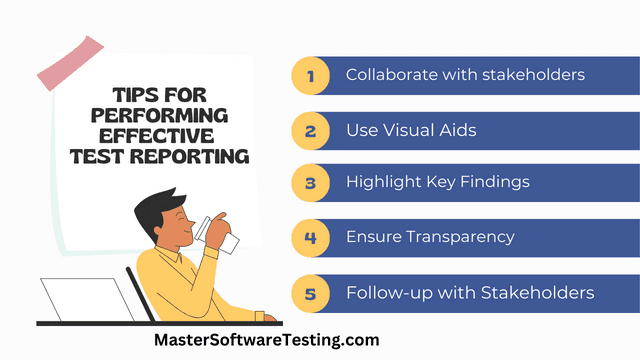
Effective test reporting is both an art and a skill. These practices consistently produce reports that get read and drive action.
Know your audience: Tailor report content, format, and detail level to the people who will read it. What decisions will they make based on this report? An executive deciding on release needs different information than a developer fixing bugs.
Lead with the conclusion: Don't make readers hunt for the bottom line. State your overall assessment and recommendation upfront. If someone reads only your first paragraph, they should know whether you recommend releasing.
Use visuals effectively: Charts and graphs communicate patterns faster than tables of numbers. But use them purposefully - don't add visuals just for decoration. A trend line showing defect discovery over time tells a story that a table of daily counts cannot.
Be honest about limitations: If testing was cut short, if environments were unstable, if certain areas weren't tested - say so. Hiding limitations undermines trust and leads to bad decisions. Stakeholders respect honesty about what you couldn't test more than they appreciate false confidence.
Make it scannable: Use headers, bullet points, and formatting to help readers find what they need quickly. Most readers won't read every word. Design your report for scanning, with key information highlighted and easy to locate.
Provide context: Raw numbers need comparison points. Compare to targets, previous releases, or industry standards. "78% pass rate" means nothing in isolation. "78% pass rate against 85% target, up from 72% last release" tells a story.
Automate where possible: Use test management tools to generate standard reports automatically. This saves time and reduces errors. Manual report creation is time-consuming and error-prone. Invest in automation to free time for analysis and interpretation.
Keep a consistent format: Stakeholders learn where to find information in familiar report formats. Consistency speeds comprehension. Create templates and use them consistently across projects and releases.
Review before distributing: Have another team member review reports for accuracy, clarity, and completeness before distribution. Fresh eyes catch errors and unclear language that you've become blind to.
Include actionable next steps: End every report with clear next steps. Who needs to do what, and by when? A report that doesn't drive action is just documentation.
Risks in the Test Reporting Phase
Several risks can undermine test reporting effectiveness. Recognizing these risks helps you mitigate them proactively.
Incomplete data: Reports based on incomplete test results or missing defect information lead to incorrect conclusions. Ensure data completeness before reporting. If data is incomplete, explicitly state what's missing and how it affects conclusions.
Delayed reporting: Late reports miss the window for influencing decisions. Establish reporting schedules aligned with decision timelines. Know when release decisions are made and ensure reports arrive before those meetings.
Misinterpretation: Stakeholders may misunderstand technical metrics or draw wrong conclusions. Provide clear explanations and be available for questions. Use plain language rather than testing jargon when possible.
Political pressure: Pressure to present rosier pictures than reality can lead to glossing over problems. Report honestly - credibility is more valuable than short-term comfort. Your reputation as a reliable source of quality information is your most valuable asset.
Inconsistent metrics: If metrics are calculated differently across reports or releases, trend analysis becomes meaningless. Document and follow consistent calculation methods. Create a metrics glossary that defines exactly how each metric is calculated.
Loss of historical data: Without historical reports to compare against, you lose the ability to show trends and progress. Archive reports and maintain access to historical data for comparison.
Tool limitations: Test management tools may not generate the exact reports you need. Understand your tools' capabilities and supplement with manual analysis where necessary.
| Risk | Impact | Mitigation |
|---|---|---|
| Incomplete data | Wrong conclusions | Validate data completeness before reporting |
| Delayed reporting | Missed decisions | Align reporting schedule with decision timeline |
| Misinterpretation | Wrong actions taken | Use clear language, be available for questions |
| Political pressure | Hidden problems | Maintain objectivity, document honestly |
| Inconsistent metrics | Invalid trends | Document and follow consistent calculation methods |
 Tips for Effective Test Reporting
Conclusion
Effective test reporting transforms testing data into actionable information. The goal isn't documentation for its own sake - it's enabling stakeholders to make informed decisions about software quality and release readiness.
Key takeaways:
Reports should drive decisions: Every report element should support a decision - whether to release, what to fix, where to focus attention. Remove information that doesn't inform action.
Tailor reports to audiences: Executives need summaries and recommendations. Project managers need schedule implications. Developers need technical details. Create appropriate formats for each audience.
Provide interpretation, not just data: Raw metrics are meaningless without context. Explain what numbers mean, compare to benchmarks, and state clear recommendations.
Report timely: A perfect report delivered too late serves only as a historical record. Deliver reports when they can still influence outcomes.
Be honest about limitations: Incomplete testing, known issues, and risks belong in reports. Hiding problems leads to bad decisions and erodes trust.
Test reporting is the bridge between testing activities and organizational decisions. Done well, it ensures that testing insights reach the people who need them in time to act. Done poorly, valuable testing work goes unrecognized, and quality decisions are made without adequate information.
Quiz on Test Reporting
Your Score: 0/9
Question: What is the primary purpose of test reporting in the Software Testing Life Cycle?
Continue Reading
The Software Testing Lifecycle: An OverviewDive into the crucial phase of Test Requirement Analysis in the Software Testing Lifecycle, understanding its purpose, activities, deliverables, and best practices to ensure a successful software testing process.Test Requirement AnalysisDive into the crucial phase of Test Requirement Analysis in the Software Testing Lifecycle, understanding its purpose, activities, deliverables, and best practices to ensure a successful software testing process.Test PlanningDive into the world of Kanban with this comprehensive introduction, covering its principles, benefits, and applications in various industries.Test DesignLearn the essential steps in the test design phase of the software testing lifecycle, its deliverables, entry and exit criteria, and effective tips for successful test design.Test ExecutionLearn about the steps, deliverables, entry and exit criteria, risks and schedules in the Test Execution phase of the Software Testing Lifecycle, and tips for performing this phase effectively.Test Analysis PhaseDiscover the steps, deliverables, entry and exit criteria, risks and schedules in the Test Analysis phase of the Software Testing Lifecycle, and tips for performing this phase effectively.Fixing PhaseExplore the crucial steps, deliverables, entry and exit criteria, risks, schedules, and tips for effective Fixing in the Software Testing Lifecycle to boost application quality and streamline the testing process.Test Closure PhaseDiscover the steps, deliverables, entry and exit criteria, risks, schedules, and tips for performing an effective Test Closure phase in the Software Testing Lifecycle, ensuring a successful and streamlined testing process.
Frequently Asked Questions (FAQs) / People Also Ask (PAA)
What is test reporting and why is it important in software testing?
When should test reporting occur in the Software Testing Life Cycle?
What are the different types of test reports and when should each be used?
What should be included in an executive summary of a test report?
How do I tailor test reports for different audiences?
What are the most common test reporting mistakes and how can I avoid them?
What test metrics should be included in a test report?
What are the entry and exit criteria for the test reporting phase?