
How to Create a Test Plan: Complete Step-by-Step Guide
 How to Create a Test Plan
| Quick Answer | Details |
|---|---|
| What is a test plan? | A document that defines scope, approach, resources, and schedule for testing activities |
| Who creates it? | Test lead or test manager, with input from developers, business analysts, and stakeholders |
| When to create? | During the test planning phase, after requirements are finalized |
| Key components | Scope, objectives, test strategy, resources, schedule, entry/exit criteria, risks |
| Time to create | 2-5 days for small projects, 1-3 weeks for large projects |
| Standard format | IEEE 829 provides a widely-used template structure |
A test plan is a formal document that describes the testing scope, approach, resources, schedule, and activities required to verify that software meets its requirements. It serves as a blueprint that guides the entire testing process from start to finish.
Creating an effective test plan is one of the most important activities in the test planning phase of the Software Testing Life Cycle. A well-structured test plan ensures your team knows exactly what to test, how to test it, and when testing is complete.
This guide walks you through each step of creating a test plan, with practical examples and templates you can apply to your projects.
Table Of Contents-
- Why You Need a Test Plan
- Step 1: Analyze the Product and Requirements
- Step 2: Define the Test Scope
- Step 3: Establish Test Objectives
- Step 4: Develop Your Test Strategy
- Step 5: Define Entry and Exit Criteria
- Step 6: Plan Resources and Responsibilities
- Step 7: Create the Test Schedule
- Step 8: Identify and Manage Risks
- Step 9: Define Test Deliverables
- Step 10: Plan Test Environment and Tools
- Test Plan Template Structure
- Case Study: E-Commerce Platform Test Plan
- Test Plan Review Checklist
- Common Mistakes to Avoid
- Frequently Asked Questions
Why You Need a Test Plan
Before diving into the steps, understand why a test plan matters:
A test plan is not bureaucratic overhead. It prevents wasted effort, missed defects, and project delays by providing clear direction for testing activities.
Benefits of a well-crafted test plan:
- Clear communication - Everyone understands what will be tested and how
- Resource efficiency - Prevents duplicate work and identifies gaps early
- Risk reduction - Documents known risks and mitigation strategies
- Measurable progress - Defines criteria to track testing completion
- Stakeholder alignment - Creates shared expectations for quality
Without a test plan, teams often test the same features repeatedly while missing critical functionality. Testers work in isolation without understanding priorities. Management lacks visibility into testing progress. These problems are avoidable with proper planning.
Step 1: Analyze the Product and Requirements
Before writing anything, you need to understand what you are testing. This analysis phase is critical for creating a relevant and complete test plan.
Gather Input Documents
Collect and review:
- Requirements specifications - Functional and non-functional requirements
- Design documents - Architecture diagrams, interface specifications
- User documentation - User guides, help files, training materials
- Previous test artifacts - Test plans and reports from prior releases
- Project constraints - Timeline, budget, resource limitations
Understand the Product Context
Ask key questions:
- Who are the users? Different user types have different priorities
- What is the business purpose? Understanding value helps prioritize testing
- What are the critical functions? Which features must work flawlessly?
- What are the technical constraints? Platform, browser, performance requirements
- What is the risk tolerance? How much defect leakage is acceptable?
Identify Stakeholders
Document who has input into the test plan and who needs to approve it:
- Product owner or business analyst
- Development lead
- Project manager
- Operations or IT team (for environment requirements)
- Compliance or security team (for regulated products)
Practical tip: Schedule a kickoff meeting with key stakeholders before drafting the test plan. This surfaces hidden requirements and builds buy-in for your approach.
Step 2: Define the Test Scope
The scope section answers two questions: What will you test? What will you NOT test?
In-Scope Items
List specific features, modules, or capabilities that testing will cover. Be explicit:
Example for an e-commerce application:
- User registration and authentication
- Product search and filtering
- Shopping cart operations (add, update, remove items)
- Checkout process with multiple payment methods
- Order confirmation and email notifications
- User account management (profile, addresses, payment methods)
- Product catalog management (admin functions)
Out-of-Scope Items
Equally important is documenting what testing will NOT cover and why:
- Third-party payment gateway internal processing (tested by vendor)
- Mobile native apps (covered by separate mobile test plan)
- Legacy admin module (scheduled for replacement next quarter)
- Load testing beyond 1000 concurrent users (infrastructure not available)
Scope Boundaries
Define the boundaries of your testing clearly:
| Boundary Type | In Scope | Out of Scope |
|---|---|---|
| Browsers | Chrome, Firefox, Safari, Edge (latest 2 versions) | Internet Explorer, Opera |
| Devices | Desktop, tablet (responsive) | Native mobile apps |
| Environments | QA, Staging | Production |
| Data | Test data in QA environment | Production customer data |
Warning: Vague scope statements cause problems. "All major features" is not useful. List specific features, functions, or user stories that will be tested.
Step 3: Establish Test Objectives
Test objectives define what you are trying to achieve through testing. They should be specific and measurable.
Primary Objectives
Define the main goals of your testing effort:
- Verify functional requirements - Confirm that all documented requirements are implemented correctly
- Validate user workflows - Ensure end-to-end user journeys work as expected
- Assess quality readiness - Determine if the product meets release criteria
- Identify defects - Find and document bugs before production release
Specific Measurable Objectives
Translate goals into measurable targets:
- Execute 100% of high-priority test cases
- Achieve 80% code coverage for critical modules
- Resolve all critical and high-severity defects before release
- Complete performance testing with response times under 2 seconds for core functions
- Validate accessibility compliance with WCAG 2.1 Level AA
What Objectives Are NOT
Avoid vague objectives that cannot be measured:
- "Ensure quality" (not measurable)
- "Test everything" (not realistic)
- "Find all bugs" (not achievable)
Step 4: Develop Your Test Strategy
The test strategy section describes HOW you will approach testing. This is one of the most important sections of your test plan.
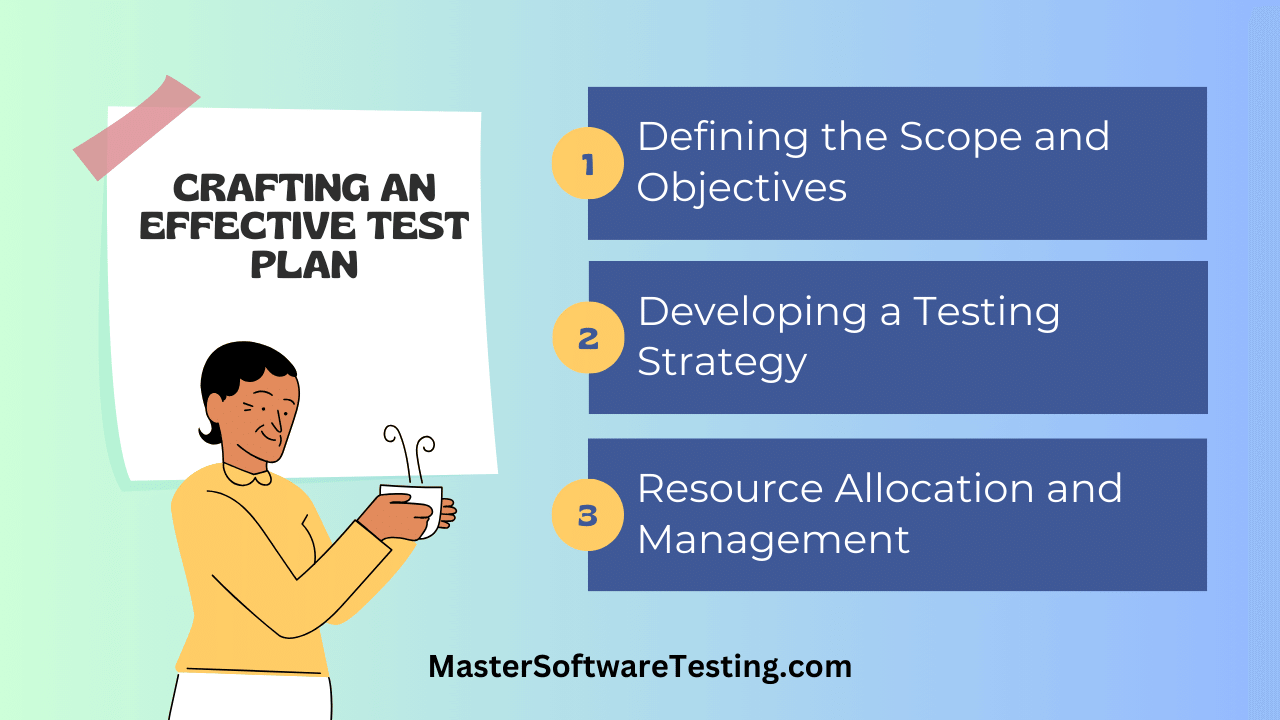 Test Strategy Components
Testing Levels
Define which testing levels apply to your project:
| Level | Description | Responsibility |
|---|---|---|
| Unit Testing | Individual components and functions | Developers |
| Integration Testing | Component interactions and interfaces | Developers + Testers |
| System Testing | Complete system functionality | QA Team |
| Acceptance Testing | Business requirements validation | Business Users + QA |
Testing Types
Specify which types of testing you will perform:
Functional Testing:
- Feature testing against requirements
- User interface testing
- Integration testing for system components
- Regression testing for existing functionality
Non-Functional Testing:
- Performance testing - Response times and throughput
- Security testing - Vulnerability assessment
- Usability testing - User experience validation
- Compatibility testing - Browser and device coverage
Testing Approach
Document your approach for different scenarios:
Manual vs. Automated Testing:
| Area | Approach | Rationale |
|---|---|---|
| New features | Manual exploratory testing | Features are changing, automation would require constant updates |
| Regression suite | Automated | Stable features, executed repeatedly |
| User experience | Manual | Requires human judgment |
| API endpoints | Automated | Easily scriptable, fast feedback |
Test Case Design Techniques:
Specify which testing techniques you will use:
- Equivalence partitioning for input validation
- Boundary value analysis for numeric fields
- Error guessing based on domain expertise
- Scenario-based testing for user workflows
Defect Management Process
Define how defects will be handled:
- Defect tracking tool: Jira, Azure DevOps, or Bugzilla
- Severity definitions: Critical, High, Medium, Low
- Priority definitions: P1 (immediate), P2 (next sprint), P3 (backlog)
- Defect lifecycle: New > In Progress > Fixed > Verified > Closed
- Escalation process: When and how to escalate critical issues
Step 5: Define Entry and Exit Criteria
Entry and exit criteria establish gates that prevent testing from starting too early or ending too soon.
Entry Criteria
Conditions that must be met before testing begins:
For Test Planning:
- Requirements documents are available and approved
- Project timeline and milestones are defined
- Test environment requirements are identified
- Test team is assigned
For Test Execution:
- Test plan is reviewed and approved
- Test cases are written and reviewed
- Test environment is set up and verified
- Build is deployed and smoke tested
- Test data is prepared
Exit Criteria
Conditions that must be met to consider testing complete:
Execution Criteria:
- All planned test cases executed
- Test execution rate: 100% of in-scope test cases
- Pass rate: 95% or higher
Defect Criteria:
- Zero open Critical defects
- Zero open High defects (or approved deferral)
- All Medium defects reviewed and triaged
- Defect closure rate: 90% or higher
Coverage Criteria:
- All requirements have associated test cases
- All test cases have execution results
- Code coverage meets minimum threshold (if applicable)
Documentation Criteria:
- Test summary report completed
- Known issues documented
- Sign-off obtained from stakeholders
Important: Exit criteria must be agreed upon with stakeholders before testing begins. Changing criteria mid-project undermines the planning process.
Step 6: Plan Resources and Responsibilities
Identify who will do what during testing activities.
Team Roles and Responsibilities
| Role | Responsibilities | Person Assigned |
|---|---|---|
| Test Manager | Overall test planning, resource allocation, stakeholder communication | [Name] |
| Test Lead | Daily test coordination, defect triage, status reporting | [Name] |
| Test Analysts | Test case design, test execution, defect logging | [Names] |
| Automation Engineer | Automation framework, script development, maintenance | [Name] |
| Performance Tester | Performance test design and execution | [Name] |
Skill Requirements
Document skills needed for the testing effort:
- Domain knowledge (e-commerce, healthcare, finance, etc.)
- Technical skills (SQL, API testing, browser dev tools)
- Tool proficiency (test management, automation, defect tracking)
- Certification requirements (if applicable)
Training Needs
Identify any training required before testing can proceed:
- New tool training
- Domain orientation for new team members
- Automation framework training
- Product feature training
Step 7: Create the Test Schedule
The schedule section maps testing activities to calendar dates and project milestones.
Phase Timeline
| Phase | Start Date | End Date | Duration | Dependencies |
|---|---|---|---|---|
| Test Planning | Week 1 | Week 2 | 2 weeks | Requirements complete |
| Test Design | Week 2 | Week 4 | 3 weeks | Test plan approved |
| Environment Setup | Week 3 | Week 4 | 2 weeks | Infrastructure available |
| Test Execution | Week 5 | Week 8 | 4 weeks | Environment ready, build deployed |
| Defect Fixes & Retest | Week 7 | Week 9 | 3 weeks | Defects logged |
| Final Regression | Week 9 | Week 10 | 2 weeks | Fixes verified |
| Test Closure | Week 10 | Week 10 | 1 week | Exit criteria met |
Milestones
Define key milestones for tracking progress:
- M1: Test plan approved
- M2: Test cases reviewed and approved
- M3: Test environment ready
- M4: First test cycle complete
- M5: Regression testing complete
- M6: Test summary report delivered
Schedule Risks
Document schedule-related risks:
- Late requirements changes may compress testing time
- Environment unavailability could delay execution start
- Resource conflicts with other projects may reduce capacity
- Critical defects may require additional testing cycles
Step 8: Identify and Manage Risks
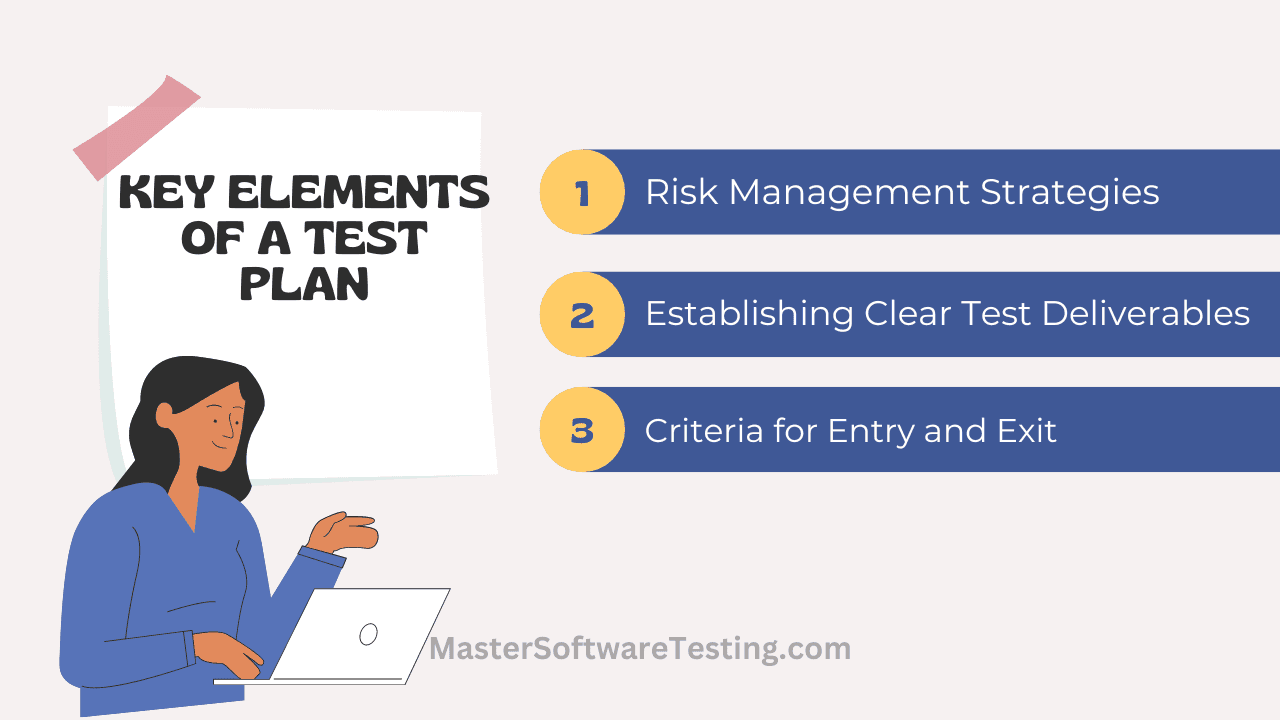 Test Plan Risk Management
Risk management is essential for realistic test planning. Identify what could go wrong and plan for it.
Risk Identification
Categorize risks by type:
Product Risks:
- Complex integrations may have hidden defects
- Third-party dependencies may cause instability
- Performance under load is untested
Project Risks:
- Timeline is aggressive with limited buffer
- Key team members may be unavailable
- Requirements may change late in the project
Technical Risks:
- Test environment may not match production
- Test data may not represent real-world scenarios
- Automation framework may have limitations
Risk Assessment
Rate each risk by likelihood and impact:
| Risk | Likelihood | Impact | Severity |
|---|---|---|---|
| Late requirements changes | High | High | Critical |
| Environment instability | Medium | High | High |
| Resource unavailability | Medium | Medium | Medium |
| Third-party service outage | Low | High | Medium |
Mitigation Strategies
Define actions to reduce or eliminate risks:
| Risk | Mitigation Strategy | Owner |
|---|---|---|
| Late requirements changes | Implement change freeze 2 weeks before release | Project Manager |
| Environment instability | Set up backup test environment | DevOps |
| Resource unavailability | Cross-train team members on critical areas | Test Lead |
| Third-party service outage | Create mock services for testing | Automation Engineer |
Contingency Plans
Document backup plans if risks materialize:
- If environment is unavailable: Prioritize test cases, test most critical functions first
- If resources are reduced: Focus on high-priority test cases, reduce regression scope
- If schedule is compressed: Reduce scope to critical path, defer lower priority testing
Step 9: Define Test Deliverables
Document the artifacts that will be produced during testing.
Planning Deliverables
- Test plan document - This document
- Test schedule - Detailed timeline with milestones
- Resource plan - Team assignments and availability
Design Deliverables
- Test cases - Detailed test steps with expected results
- Test data - Prepared data sets for test execution
- Traceability matrix - Mapping requirements to test cases
Execution Deliverables
- Test execution logs - Record of test runs and results
- Defect reports - Logged issues with reproduction steps
- Daily/weekly status reports - Progress updates for stakeholders
Closure Deliverables
- Test summary report - Overall testing results and metrics
- Defect summary - Final defect statistics and trends
- Lessons learned - Recommendations for future projects
Step 10: Plan Test Environment and Tools
Define the infrastructure and tools needed for testing.
Test Environment Requirements
| Component | Specification | Purpose |
|---|---|---|
| Application Server | 2 CPUs, 8GB RAM, Linux | Host test application |
| Database Server | 4 CPUs, 16GB RAM, PostgreSQL 14 | Test data storage |
| Web Server | 2 CPUs, 4GB RAM, Nginx | Serve frontend |
| Test Workstations | Windows 11, Chrome/Firefox/Edge | Manual test execution |
Environment Configuration
- QA environment should mirror production configuration
- Database should contain representative test data
- Integration points should connect to test instances of external systems
- Environment should be isolated from development activities
Testing Tools
| Tool Category | Selected Tool | Purpose |
|---|---|---|
| Test Management | TestRail, Zephyr, or qTest | Test case management, execution tracking |
| Defect Tracking | Jira, Azure DevOps | Defect logging and lifecycle management |
| Automation | Selenium, Playwright, Cypress | UI test automation |
| API Testing | Postman, REST Assured | API validation |
| Performance | JMeter, Gatling, k6 | Load and performance testing |
| Version Control | Git | Test script version management |
Test Plan Template Structure
Here is the standard structure for a test plan document following IEEE 829 guidelines:
1. Test Plan Identifier
2. Introduction
   2.1 Purpose
   2.2 Background
   2.3 Scope
3. Test Items
4. Features to be Tested
5. Features Not to be Tested
6. Approach
   6.1 Testing Levels
   6.2 Testing Types
   6.3 Test Design Techniques
7. Item Pass/Fail Criteria
8. Suspension and Resumption Criteria
9. Test Deliverables
10. Testing Tasks
11. Environmental Needs
12. Responsibilities
13. Staffing and Training Needs
14. Schedule
15. Risks and Contingencies
16. Approvals
Note: Adapt the template to your organization's needs. Not every section is required for every project. Smaller projects may combine sections, while complex projects may need additional detail.
Case Study: E-Commerce Platform Test Plan
Let us apply these concepts to a realistic example.
Project Background
An online retail company is launching version 2.0 of their e-commerce platform. The release includes a redesigned checkout process, new payment options, and enhanced search functionality.
Scope Definition
In Scope:
- New checkout workflow with guest checkout option
- Apple Pay and Google Pay integration
- Enhanced product search with filters
- User account management updates
- Shopping cart improvements
- Order tracking enhancements
Out of Scope:
- Mobile native apps (separate release)
- Warehouse management system (no changes)
- Legacy admin reports (being deprecated)
Test Strategy Summary
| Testing Type | Approach | Tools |
|---|---|---|
| Functional Testing | Manual test execution against requirements | TestRail for test management |
| Regression Testing | Automated suite run nightly | Playwright |
| Integration Testing | API tests for payment and inventory integration | Postman |
| Performance Testing | Load tests simulating peak traffic | JMeter |
| Security Testing | OWASP Top 10 vulnerability scan | OWASP ZAP |
| UAT | Business users validate checkout flow | Manual with guided scripts |
Resource Allocation
| Role | Count | Allocation |
|---|---|---|
| Test Lead | 1 | 100% |
| Manual Testers | 3 | 100% |
| Automation Engineer | 1 | 75% |
| Performance Tester | 1 | 50% |
Schedule Overview
| Phase | Duration | Dates |
|---|---|---|
| Test Planning | 1 week | Jan 6-10 |
| Test Case Development | 2 weeks | Jan 13-24 |
| Environment Setup | 1 week | Jan 20-24 |
| Cycle 1 Execution | 2 weeks | Jan 27 - Feb 7 |
| Defect Fixes | 1 week | Feb 10-14 |
| Cycle 2 Execution | 1 week | Feb 17-21 |
| UAT | 1 week | Feb 24-28 |
| Test Closure | 3 days | Mar 3-5 |
Key Risks and Mitigations
| Risk | Mitigation |
|---|---|
| Payment gateway test environment delays | Prepare mock services as backup |
| Peak season traffic simulation | Schedule performance testing after hours |
| Late design changes to checkout | Implement design freeze 2 weeks before UAT |
Exit Criteria
- All test cases executed with 95% pass rate
- Zero Critical defects open
- Zero High defects open (or approved deferral)
- Performance meets SLA: checkout under 3 seconds at 500 concurrent users
- UAT sign-off from business stakeholders
Test Plan Review Checklist
Before finalizing your test plan, use this checklist to ensure completeness:
Scope and Objectives
- In-scope features are explicitly listed
- Out-of-scope items are documented with reasons
- Test objectives are specific and measurable
- Scope boundaries (browsers, devices, environments) are defined
Strategy and Approach
- Testing levels (unit, integration, system, acceptance) are identified
- Testing types (functional, performance, security) are specified
- Manual vs. automated approach is documented for each area
- Test design techniques are listed
- Defect management process is defined
Criteria and Resources
- Entry criteria for test planning are defined
- Entry criteria for test execution are defined
- Exit criteria are specific and achievable
- Stakeholders have agreed to exit criteria
- Team roles and responsibilities are assigned
- Skill requirements are documented
- Training needs are identified
Schedule and Risks
- Phase timeline with dates is included
- Key milestones are defined
- Dependencies are identified
- Risks are categorized and assessed
- Mitigation strategies are documented
- Contingency plans exist for high-impact risks
Environment and Deliverables
- Test environment requirements are specified
- Testing tools are selected
- All deliverables (planning, design, execution, closure) are listed
- Sign-off and approval process is defined
Tip: Share this checklist with reviewers before the test plan review meeting. It focuses the review on completeness rather than formatting or style preferences.
Common Mistakes to Avoid
1. Writing the Test Plan Too Late
Problem: Creating the test plan after development is nearly complete leaves no time to prepare properly.
Solution: Start test planning as soon as requirements are stable. Parallel planning while development proceeds is normal.
2. Copying Previous Test Plans Without Updates
Problem: Reusing old test plans without updating for the current project leads to irrelevant content.
Solution: Use previous plans as templates but review and update every section for the current project context.
3. Vague Scope Statements
Problem: Phrases like "test all features" or "major functionality" provide no guidance.
Solution: List specific features, modules, user stories, or requirements that will be tested.
4. Unrealistic Exit Criteria
Problem: Exit criteria that are impossible to achieve (like "zero defects") undermine the entire process.
Solution: Define achievable, measurable criteria agreed upon by stakeholders before testing begins.
5. Ignoring Resource Constraints
Problem: Planning for ideal conditions when reality includes limited time, people, and infrastructure.
Solution: Plan based on actual available resources. If resources are insufficient, escalate or adjust scope.
6. No Risk Identification
Problem: Assuming everything will go according to plan guarantees problems when it does not.
Solution: Identify risks early, assess their impact, and document mitigation strategies.
7. Treating the Test Plan as Static
Problem: Creating the plan and never updating it as the project evolves.
Solution: Review and update the test plan at key milestones. Document changes and re-obtain approvals when scope changes significantly.
Conclusion
Creating an effective test plan requires systematic analysis of requirements, clear scope definition, realistic scheduling, and proactive risk management. The test plan is not a document created once and forgotten; it is a living guide that evolves with your project.
Key takeaways:
- Start early - Begin planning as soon as requirements are available
- Be specific - Vague plans lead to vague results
- Get agreement - Entry and exit criteria must be agreed upon by stakeholders
- Plan for problems - Risk identification and mitigation are essential
- Keep it current - Update the plan as the project evolves
A well-crafted test plan saves time, reduces defects, and ensures your testing effort delivers value. Use the steps and templates in this guide to create test plans that work for your projects.
Quiz on how to create a test plan
Your Score: 0/9
Question: What is the primary purpose of a test plan in software testing?
Continue Reading
The Software Testing Lifecycle: An OverviewDive into the crucial phase of Test Requirement Analysis in the Software Testing Lifecycle, understanding its purpose, activities, deliverables, and best practices to ensure a successful software testing process.Test Requirement AnalysisDive into the crucial phase of Test Requirement Analysis in the Software Testing Lifecycle, understanding its purpose, activities, deliverables, and best practices to ensure a successful software testing process.Test DesignLearn the essential steps in the test design phase of the software testing lifecycle, its deliverables, entry and exit criteria, and effective tips for successful test design.Test ExecutionLearn about the steps, deliverables, entry and exit criteria, risks and schedules in the Test Execution phase of the Software Testing Lifecycle, and tips for performing this phase effectively.Test Analysis PhaseDiscover the steps, deliverables, entry and exit criteria, risks and schedules in the Test Analysis phase of the Software Testing Lifecycle, and tips for performing this phase effectively.Test Reporting PhaseLearn the essential steps, deliverables, entry and exit criteria, risks, schedules, and tips for effective Test Reporting in the Software Testing Lifecycle to improve application quality and testing processes.Fixing PhaseExplore the crucial steps, deliverables, entry and exit criteria, risks, schedules, and tips for effective Fixing in the Software Testing Lifecycle to boost application quality and streamline the testing process.Test Closure PhaseDiscover the steps, deliverables, entry and exit criteria, risks, schedules, and tips for performing an effective Test Closure phase in the Software Testing Lifecycle, ensuring a successful and streamlined testing process.
Frequently Asked Questions (FAQs) / People Also Ask (PAA)
What is a test plan and why is it important?
Who is responsible for creating a test plan?
What are the essential components of a test plan?
How do I define the scope of a test plan effectively?
What are entry and exit criteria in a test plan?
How do I identify and manage risks in a test plan?
When should I create a test plan and how long does it take?
What are the most common mistakes when creating a test plan?